About this app
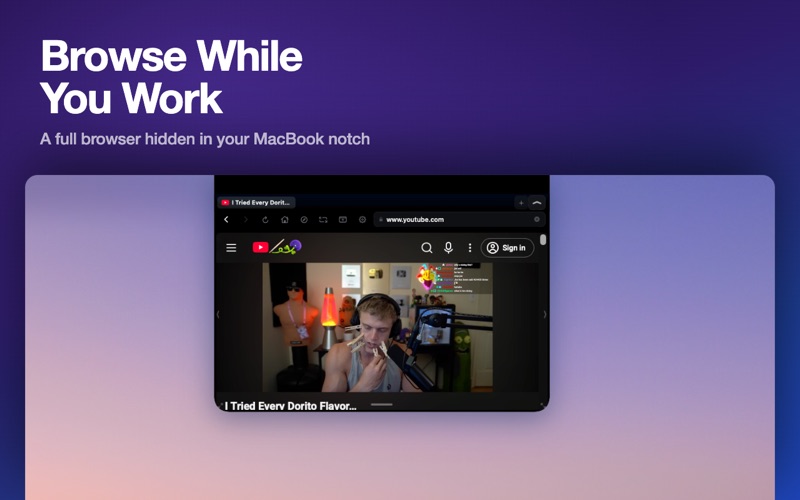
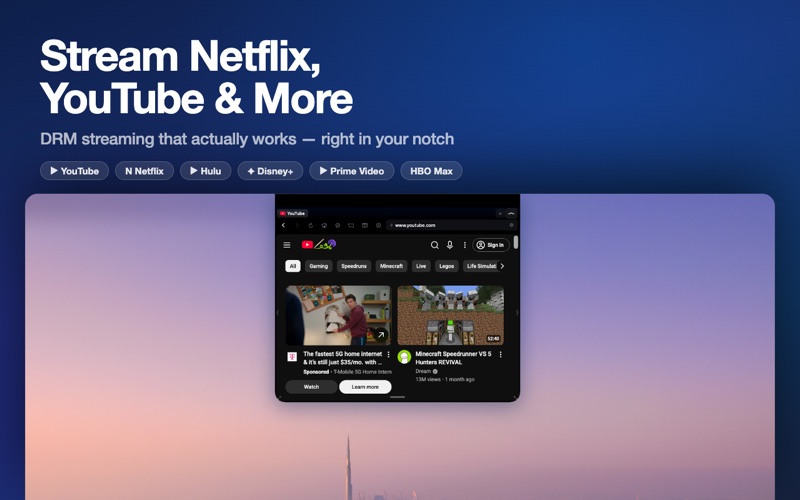
Ever wanted to watch a YouTube tutorial and actually have room to follow along? Or keep a Twitch stream going while you work? Or binge Netflix on your lunch break without covering your entire screen? NotchBrowser is a web browser that lives inside your MacBook's notch. That black cutout around your camera? It's now a resizable browser window. Your workspace stays untouched below. HOW IT WORKS Your MacBook's notch is dead space — a black rectangle that does nothing. NotchBrowser extends it downward into a full browser with tabs, an address bar, and ad blocking. Hover to peek, click to open, drag to resize. When you're done, it collapses back into the notch like it was never there. WHY PEOPLE LOVE IT "I'm a developer. I watch coding tutorials while I code. Before NotchBrowser, I had YouTube in a Safari tab and kept switching back and forth. Now the tutorial plays in the notch and I have my entire screen for VS Code." "I work from home and watch Netflix during lunch. I used to resize my browser to half my screen. Now the show plays in the notch and I can still see Slack messages." "I trade stocks. I keep a live chart in the notch while I use my trading platform below. Game changer." CINEMA MODE — INSTANT FULLSCREEN VIDEO One click expands any video into a focused cinema view. Works with YouTube, Netflix, Twitch, Kick, Disney+, Hulu, Prime Video, HBO Max, Vimeo, Crunchyroll, and more. Player controls, scrubber, subtitles — everything stays intact. Press Escape to exit cleanly. FULL BROWSER CAPABILITIES This is not a toy or a video-only player. It's a real browser: • Multiple tabs — ⌘T to open, ⌘W to close, ⌘1-9 to switch • Built-in ad blocker — blocks 19 ad networks automatically • DRM streaming — Netflix, Disney+, Hulu play with full quality • Find in page — ⌘F with next/previous navigation • Page zoom — ⌘+/⌘- to make text readable at any size • Reopen closed tabs — ⌘⇧T to recover accidentally closed pages • Tab persistence — quit the app, relaunch, your tabs are still there • Desktop mode — sites see Safari, not a mobile browser • Links open in new tabs — no more losing your current page • localhost support — developers can preview local servers DESIGNED TO DISAPPEAR When collapsed, NotchBrowser is invisible. Pure black. No icons, no indicators, no glow — just your MacBook's notch looking exactly like it always does. When you hover, it subtly reveals itself. When you click, it opens. When you're done, Escape collapses it. It gets out of your way instantly. 15+ KEYBOARD SHORTCUTS ⌘T New tab · ⌘W Close tab · ⌘L Address bar · ⌘R Reload ⌘[ Back · ⌘] Forward · ⌘⇧F Cinema · ⌘F Find ⌘+/⌘- Zoom · ⌘1-9 Switch tab · ⌘⇧T Reopen tab · Esc Close PRIVATE BY DEFAULT No accounts. No analytics. No tracking. No data ever leaves your Mac. Built-in ad blocker runs on every page. Clear all cookies and data with one button. The app is fully sandboxed — it cannot access your files, contacts, or anything else on your Mac. WORKS ON YOUR MACBOOK MacBook Pro 14" and 16" (2021+) · MacBook Air 13" and 15" (2022+) Also works on external monitors — toggle "Use on any display" in Settings. One-time purchase. No subscription. No nonsense.
Audience growth
Ratings growth
Baseline captured. Growth appears after the crawler observes a changed rating count.
Momentum comes from crawler snapshots for the tracked storefront. “Viral growth signal” means unusually fast recent rating gains; it is an indicator, not download data.
Price tracking
Price intelligence
First snapshot captured. The trend line starts after the next crawler price observation.
- First observed Aug 7, 2026 · 9:38 PM Free
Screenshots