About this app
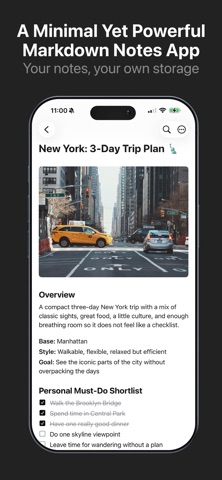
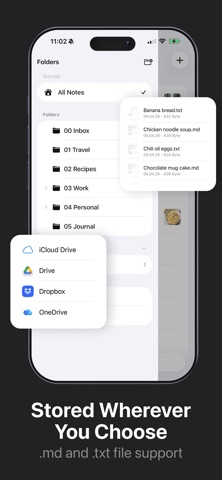
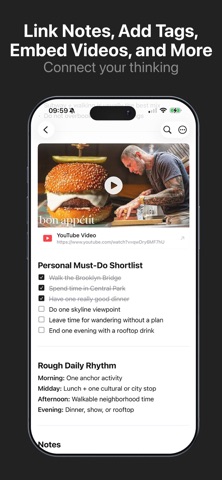
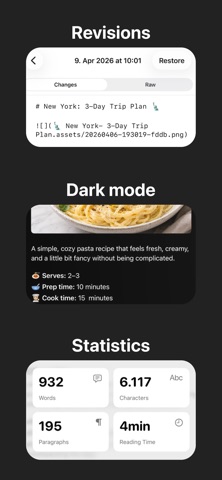
Write in markdown and see your formatting come to life as you type — headings, bold, italic, links, code blocks, checklists, and more — all rendered inline. Your files. Your folders. Your way. Notelane works directly with the files on your device. On first launch, pick any folder — local storage, iCloud Drive, Dropbox, or any connected cloud provider visible in the Files app. Your notes stay as standard .md files, fully portable and never locked in. Write with clarity A distraction-free editor with live formatting that renders your markdown as you type. No toggle between "edit" and "preview" — just write. Store notes anywhere Pick any folder on your device or in the cloud. Notelane works with iCloud Drive, Google Drive, Dropbox, or any storage provider visible in the Files app. Connect your thinking Link notes together with [[wikilinks]] and organize with #tags to build your own personal knowledge base — no complex setup required. Stay in control Revision history lets you restore previous versions of any note. PDF export and sharing are built in. A trash bin keeps deleted notes recoverable. Organize your way Nested folders, pinning, and tag-based filtering keep everything tidy. A clean sidebar puts your entire library one tap away. Note statistics Word count, character count, paragraphs, and estimated reading time — always available at a glance. Your writing deserves a home that respects simplicity. Notelane is that home.
Latest release
What’s New
Outline & Table of Contents Jump around long notes in a tap. A new Outline button lets you see all your headings at a glance and scroll straight to any section — the heading you picked briefly highlights so you always know where you landed. Dedicated Statistics button Word count, character count, and reading time now live in their own button, right in the note toolbar. Cleaner writing mode When you're editing, the toolbar keeps only what you need — distractions hide away and reappear the moment you switch back to preview. iOS-native folder menu The folder menu now slides your notes gently aside instead of covering them, matching the feel you expect from iOS. It's faster, smoother, and scrolls freely. Also in this update - Added a Changelog link in Settings so you can see what's new - Various refinements and polish
Audience growth
Ratings growth
Baseline captured. Growth appears after the crawler observes a changed rating count.
Momentum comes from crawler snapshots for the tracked storefront. “Viral growth signal” means unusually fast recent rating gains; it is an indicator, not download data.
Price tracking
Price intelligence
First snapshot captured. The trend line starts after the next crawler price observation.
- First observed Aug 19, 2026 · 10:53 AM Free
Screenshots