About this app
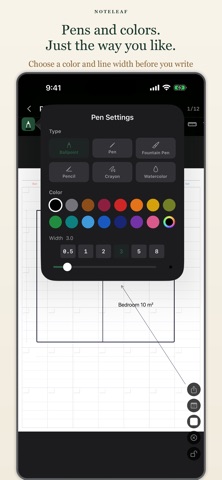
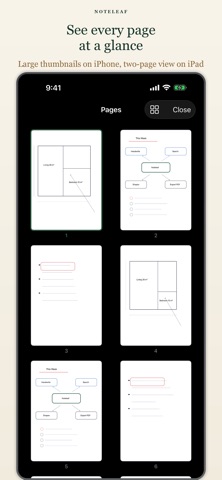
Noteleaf is a handwriting notebook that feels like real looseleaf paper. Write freely with Apple Pencil, rearrange pages, choose from templates, and make it your own. ■ Key Features Looseleaf Feel Pages can be reordered freely, just like real looseleaf paper. Move, insert, or remove pages to organize your notes the way you want. Handwriting with Apple Pencil Write naturally with Apple Pencil. Supports Scribble. Turn on Apple Pencil-Only Mode in Settings to prevent accidental palm touches. Ruler Tool Draw perfectly straight lines at any angle using the on-screen ruler — no physical ruler needed. 10 Page Templates Choose from blank, lined, wide-ruled, grid, dot grid, Cornell, and more. Mix templates freely within a single notebook. 16 Leather Cover Colors Personalize each notebook with a color that suits you — 16 rich leather-style covers to choose from. PDF Export Export any notebook as a PDF to share or archive your notes. Notebook Sharing Share notebooks with others in the app's native format. ■ One-Time Purchase Noteleaf is free to download. One in-app purchase unlocks: ・ Unlimited notebooks (free tier: 1 notebook) ・ PDF export ・ Notebook sharing All handwriting features are available for free. No subscription. No account required.
Latest release
What’s New
Noteleaf 1.7 — better writing, safer notes - Handwriting-to-text was rebuilt. On iOS 26 it uses Apple's new handwriting-aware recognition, which is far more accurate. Recognition happens on your device, with no network access. - The lasso now works as intended: what you circle is selected, and you can move, resize, recolor, and paste it into another notebook. - Eight pen types. Calligraphy (iOS 26 and later) and Marker were added, and width choices now follow each ink. - The pen button on the toolbar shows the pen type you have selected. - The iPad landscape toolbar was rebuilt. Buttons no longer overlap on 11-inch and mini models, and undo, redo, and page turning stay pinned at the bottom. - The toolbar can be placed on the right side in Settings, for left-handed use. - In a two-page spread, touching the other page lets you edit it. - Pages no longer turn by accident while you are zoomed in, or while a pasted photo is selected. - Device sharing was overhauled: syncing no longer fails when notebooks are in Recently Deleted, an open notebook now syncs, and deletions behave consistently. - PDF export was rebuilt so notebooks with many pages export reliably. - Fixed the calculator's % and ± keys, and the scale ruler's real-world measurements on iPhone and iPad mini. - Other fixes to restoring from Recently Deleted, renaming notebooks, and reordering.
Audience growth
Ratings growth
Baseline captured. Growth appears after the crawler observes a changed rating count.
Momentum comes from crawler snapshots for the tracked storefront. “Viral growth signal” means unusually fast recent rating gains; it is an indicator, not download data.
Price tracking
Price intelligence
First snapshot captured. The trend line starts after the next crawler price observation.
- First observed Sep 8, 2026 · 4:46 AM Free
Screenshots