About this app
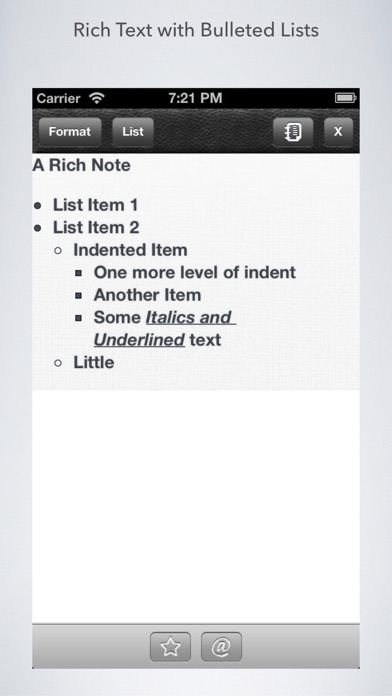
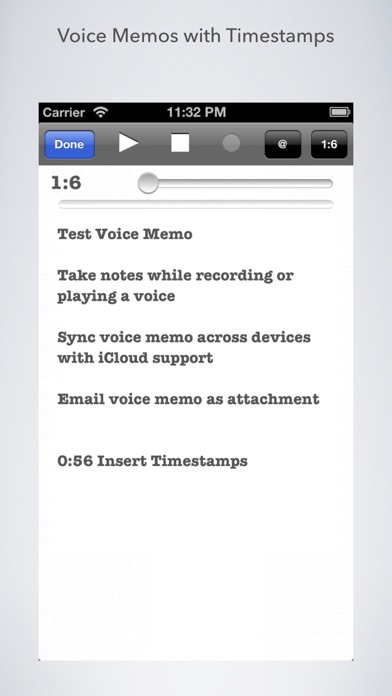
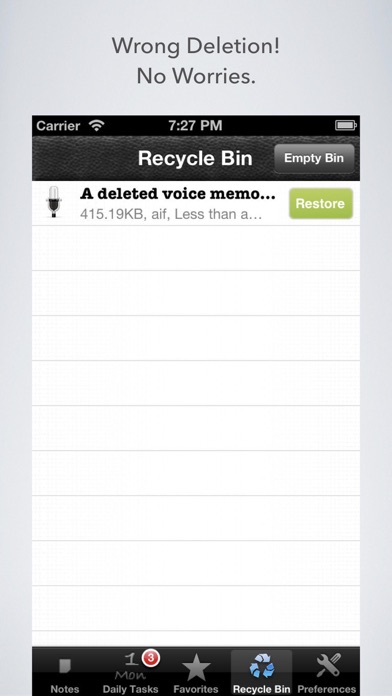
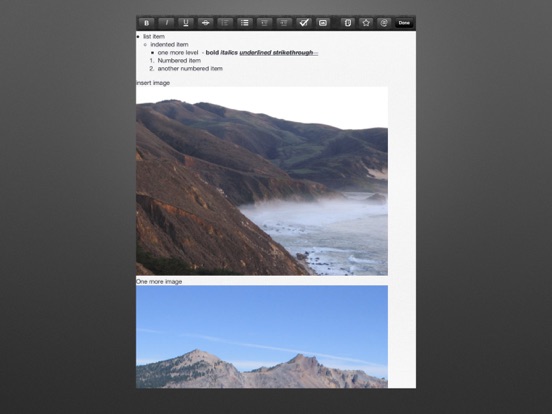
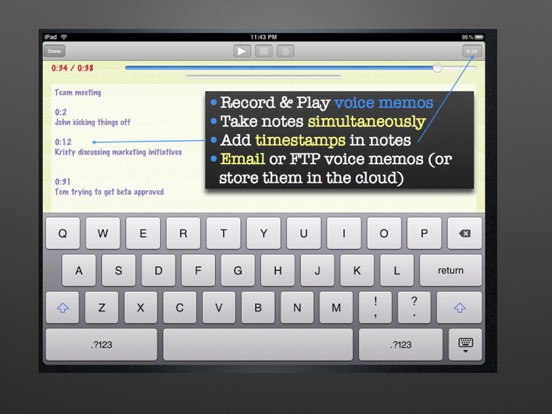
Create and Organize Daily Tasks(todos), Rich formatted Notes, Voice Memos, Freehand Scribbles (draw with your finger), save Internet files, Pictures and Videos all in one app with iCloud support. See short demos on the app website. DAILY TASKS * View task list & Calendar by Day in one view, * Overdue tasks, * Easily schedule Tasks for Today, Tomorrow or any day. * One or more Tasks can be also created from notes. The RECYCLE BIN helps you archive and restore notes and complete collections. COMPATIBLE with iCloud All Notes or just selected Collections of Notes can be synchronized across devices using iCloud. Rich Notes, Tasks, Voice Memos, Pictures, Videos, Internet Notes - all can be synced across devices. COLLECTIONS Every activity or project you engage in contains notes, tasks or media elements like pictures, videos and voice memos. Its difficult to manage these if they are in disparate applications. A collection ties all of these in one place. Collections let you * Organize your notes, * Do scoped search through collections, * Sort them by name or time and * Synchronize the entire Collection across iDevices EXAMPLES A vacation trip can contain tasks (book tickets, ..), notes that you write, pictures & videos of the trip, .... An office project can contain tasks, meeting notes, meeting recordings or whiteboard pictures. An event trip to record sessions, interviews, pictures, tickets, notes. Now you can organize all of these in one app, organized by collection instead of spreading them in different apps. RICH NOTES Support for text formatting (Bold,Italic,Underline,Strikethrough) and Lists within notes (numbered, unnumbered, indent, outdent), insert pictures (iPad only). Rich notes can also be emailed out, thus letting you create formatted emails. VOICE MEMOS Record or play voice memos while simultaneously typing notes. You can also insert time stamps to correlate the point in time a certain portion of the note was typed SCRIBBLES Draw and write with your finger on a blackboard or a canvas. If you want to annotate pictures, you can do that with your finger too. There are multiple paint color and pen size options. INTERNET NOTES Save files (PDFs, Office, ...) from the web in the app. You can also convert a web page to PDF and save it. Great for just saving your online receipts, doing research, collecting articles you liked, .... You can also take a screenshot of a web page with one-click, save it and attach notes to it. FULL-TEXT SEARCH You can search through all notes and those notes attached to tasks, voice memos, videos and pictures. CUSTOMIZABLE UI Create your own unique combination of font, color and paper background. PRICE The app is free to download and use as of the latest version 1.7.7. There is no in-app purchase.
Latest release
What’s New
This app has been updated by Apple to prepare for watchOS 27 compatibility. No new features are included. - Bug fixes - Ability to share large Voice Memos using a web link
Audience growth
Ratings growth
Baseline captured. Growth appears after the crawler observes a changed rating count.
Momentum comes from crawler snapshots for the tracked storefront. “Viral growth signal” means unusually fast recent rating gains; it is an indicator, not download data.
Price tracking
Price intelligence
First snapshot captured. The trend line starts after the next crawler price observation.
- First observed Aug 29, 2026 · 1:35 PM Free
Screenshots