About this app
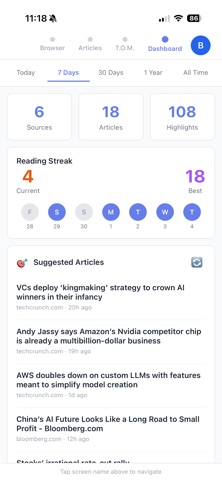
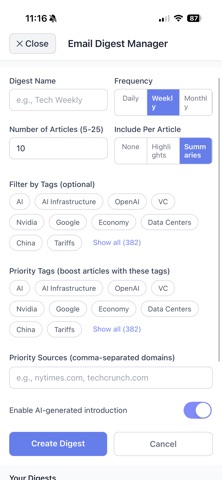
Notiva is an AI-powered reading companion that automatically saves, organizes, and summarizes what you read—so you can actually remember it, not just scroll past it. Whether you’re diving into long articles, research, AI chats, or message boards, Notiva turns all that reading into clean, searchable notes you’ll actually use. Read and auto-save everything Use Notiva as your browser to read articles, newsletters, forums, and docs. Every page is auto-saved with title, source, and metadata—no copy-paste needed. One-tap AI notes & highlights Tap once to generate an AI summary of the page. Auto-highlights pull out the most important sentences for quick scanning. Manually highlight key passages when you want more control. Save screenshots of key visuals Upload charts, graphs, and images while you read. Screenshots are stored alongside your notes so context is never lost. Chat with your reading Companion (TOM) Ask questions about anything you’ve saved: “What are the main themes in my AI articles?” Synthesize across multiple notes and sources. Have TOM fill in gaps, challenge assumptions, and suggest what to read next. Stay organized without trying All notes are tagged by source and topic. Search by keyword, topic, or site to instantly pull up what you’ve read. Build a smarter reading habit See what you’ve been reading over time. Get reading digests and resurfaced notes so ideas stick instead of disappearing.
Latest release
What’s New
Enhanced viewing for uploaded images and better suggested prompts for the AI assistant.
Audience growth
Ratings growth
Baseline captured. Growth appears after the crawler observes a changed rating count.
Momentum comes from crawler snapshots for the tracked storefront. “Viral growth signal” means unusually fast recent rating gains; it is an indicator, not download data.
Price tracking
Price intelligence
First snapshot captured. The trend line starts after the next crawler price observation.
- First observed Sep 4, 2026 · 7:44 AM Free
Screenshots