About this app
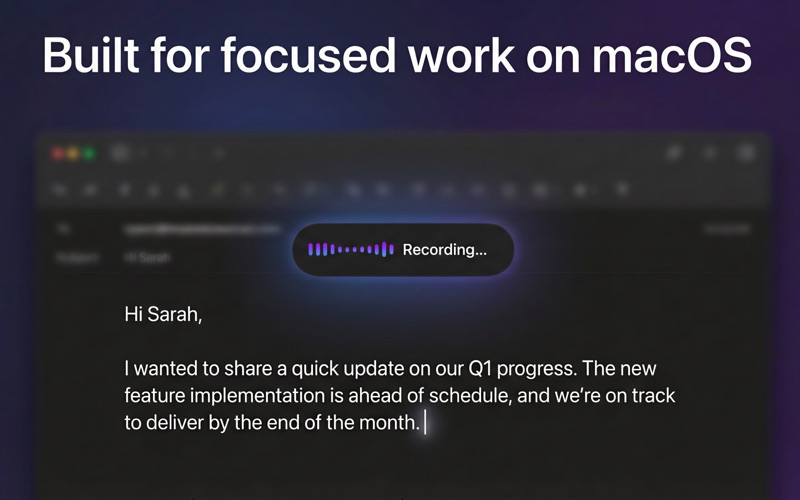
Offline AI Voice Typing for macOS Turn speech into text on your Mac with AI — even without an internet connection. Powered by local AI models and on-device speech recognition, this app delivers fast, accurate dictation while keeping your data private. AI dictation and speech to text on Mac Use AI-powered voice typing in any Mac app, including Mail, Notes, browsers, Slack, and code editors. Speak naturally, and your words are instantly converted into text, making typing easier and more efficient. Whether you’re editing documents on a train, writing emails on a flight, or replying to messages when hotel Wi-Fi drops, dictation keeps your work moving without interruption. Local AI models, built for real-world privacy All speech recognition and AI processing run locally on your Mac using on-device and local large language models. No internet required. No accounts needed. No cloud processing. Your voice and text stay on your device — fully under your control. For developers, legal professionals, consultants, and enterprise users, sensitive content such as contracts, code, and internal documents can be dictated directly, without worrying about data leaving your Mac. A smarter alternative to the keyboard AI voice input can replace traditional typing when you want to work faster or reduce manual typing. For many users, dictation becomes a natural extension of the keyboard, especially during long writing sessions or focused work. No sign-ups, no subscriptions, no cloud services. Just open the app and start speaking. Designed for productivity and accessibility AI-powered voice typing supports accessibility needs and boosts daily productivity. Whether you prefer speaking over typing or want a more natural way to input text, this tool adapts to your workflow. Optional AI enhancements Enable optional AI text refinement to improve clarity, structure, and readability. Prefer raw dictation? Keep your transcription exactly as spoken. Local AI models ensure accurate, reliable, and private transcription without sending data to the cloud. Key features • Offline AI dictation on macOS • Speech-to-text and voice input powered by local AI models • Works across all Mac applications • On-device processing with local large language models • No cloud dependency, no data sharing • Optional AI text enhancement and transcription modes • Lightweight, fast, and privacy-focused If you’re looking for an AI-powered Mac dictation and speech-to-text tool that works offline and respects your privacy, this app is built for you.
Latest release
What’s New
Bug Fix
Audience growth
Ratings growth
Baseline captured. Growth appears after the crawler observes a changed rating count.
Momentum comes from crawler snapshots for the tracked storefront. “Viral growth signal” means unusually fast recent rating gains; it is an indicator, not download data.
Price tracking
Price intelligence
First snapshot captured. The trend line starts after the next crawler price observation.
- First observed Aug 8, 2026 · 4:02 PM Free
Screenshots