About this app
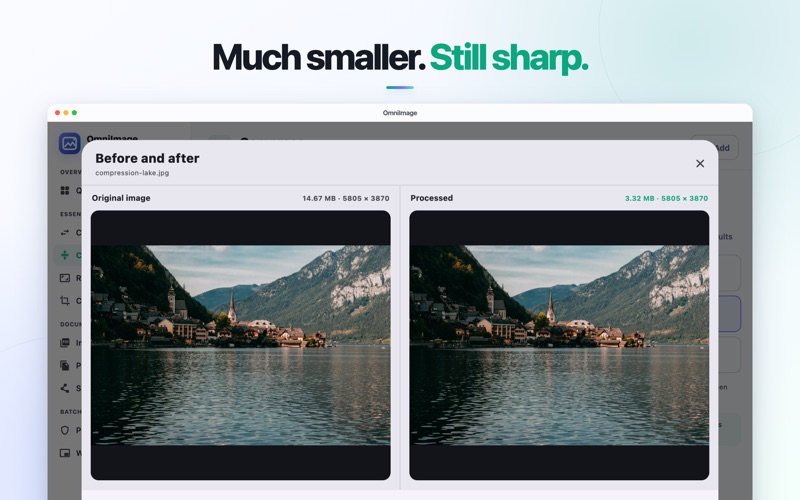
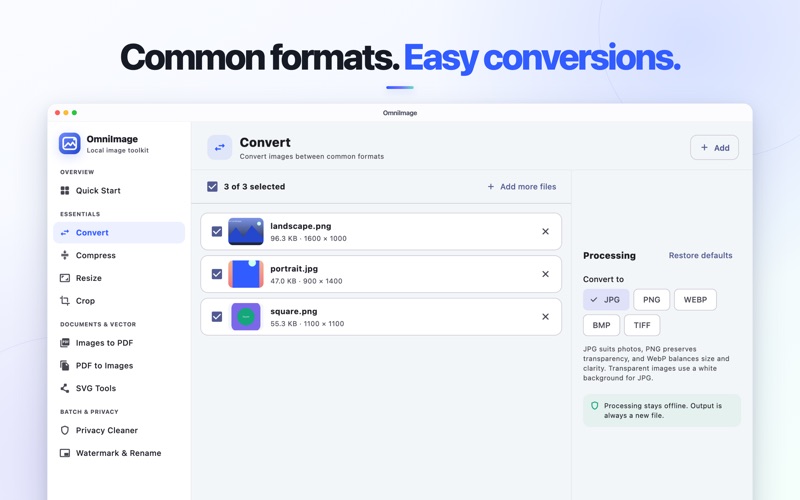
OmniImage is a simple, comprehensive image toolkit for Mac. There is no need to learn complicated professional software or upload private images to an online service. Format conversion, image compression, resizing, batch cropping, PDF tools, and privacy cleanup all come together in one clear workspace. Choose a tool, add your files, and export the results. OmniImage provides sensible defaults for everyday tasks, keeping image processing simple and straightforward. 【Format Conversion】 Convert between common formats including JPG, PNG, WebP, BMP, and TIFF. Process a single image or an entire batch. 【Image Compression】 Significantly reduce file size. Compare the original with the compressed result, see how much space you saved, and review the visual difference before you save. 【Resize】 Resize by percentage, width, height, or longest edge. Even when a batch contains images with different dimensions, each image keeps its correct proportions. 【Batch Crop】 Crop images of different sizes to a consistent aspect ratio—ideal for covers, product images, social media graphics, and other batches of visual content. 【PDF Tools】 Combine multiple images into a PDF in the order you choose, or export PDF pages as individual images. You can also select the page range to process. 【SVG Tools】 Preview SVG files directly and export crisp PNG images at the scale you need. 【Privacy Cleaner】 Remove GPS location, device details, camera settings, and other metadata that could reveal private information before sharing an image. 【Watermark and Batch Rename】 Apply a consistent text watermark and give exported files clean, sequential names that are easy to organize. 【Built for Batch Workflows】 Add multiple images at once and review processing status and export results in one place. OmniImage never changes your original files; every result is saved as a new file. 【Truly Offline Processing】 All images, PDFs, and SVG files are processed offline and never uploaded to any server. No account. No ads.
Audience growth
Ratings growth
Baseline captured. Growth appears after the crawler observes a changed rating count.
Momentum comes from crawler snapshots for the tracked storefront. “Viral growth signal” means unusually fast recent rating gains; it is an indicator, not download data.
Price tracking
Price intelligence
First snapshot captured. The trend line starts after the next crawler price observation.
- First observed Aug 18, 2026 · 3:56 PM Free
Screenshots