About this app
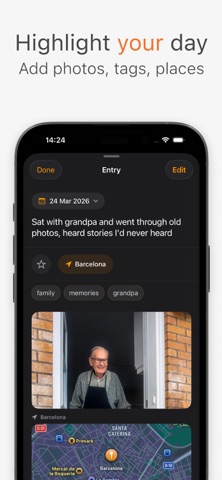
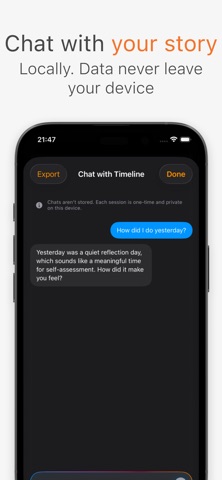
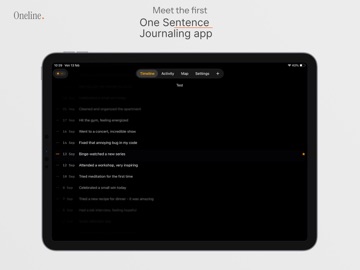
Oneline is not a journal, it’s a timeline! Instead of long entries, prompts or gamification, Oneline helps you capture life as it happens, one simple line at a time. Over days, months, and years, those lines become a powerful personal memory. What you can do • Write one short line per day • Scroll through your life as a clean, vertical timeline • Pinch to zoom to see your life at different levels of detail • Highlight important days • Add optional tags • Create multiple timelines (Life, Work, Health, etc.) • Revisit past moments with On This Day Multiple timelines Life isn’t one-dimensional. Create separate timelines for different parts of your life and keep everything clear, intentional, and personal. On This Day Some memories deserve to resurface quietly. Oneline shows you what you wrote on this day in previous years, without notifications, pressure, or nostalgia traps. Privacy-first • No accounts required • Data stored locally or in your personal iCloud • No tracking • No ads • No social features Your timeline belongs to you. Your life doesn’t need streaks or likes. Just one honest line per day. Terms of Use (EULA): https://www.apple.com/legal/internet-services/itunes/dev/stdeula/
Latest release
What’s New
Some days need more than a line. Oneline can now keep a whole note behind one. • Turn on Long-Form Notes in Settings to write a longer note under any line. The line is still the entry, and the timeline looks exactly as it did, with a small mark on the days that have more behind them. • Give the text shape as you write it, with bold, italic, headings, lists and quotes. It styles itself on screen while you type. • Dictate straight into a note. The words land where your cursor is, so you can talk into the middle of a paragraph you already started. • Search now looks inside your notes, not only your lines. • Notes travel with your exports, in Markdown, JSON and CSV alike.
Audience growth
Ratings growth
Baseline captured. Growth appears after the crawler observes a changed rating count.
Momentum comes from crawler snapshots for the tracked storefront. “Viral growth signal” means unusually fast recent rating gains; it is an indicator, not download data.
Price tracking
Price intelligence
First snapshot captured. The trend line starts after the next crawler price observation.
- First observed Sep 17, 2026 · 12:45 PM Free
Screenshots