About this app
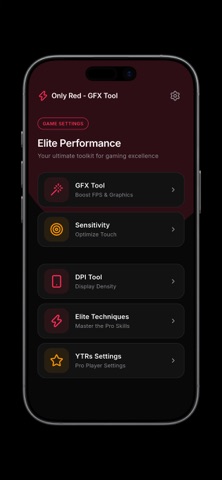
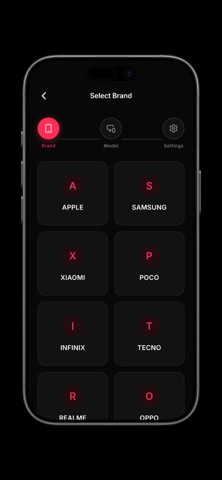
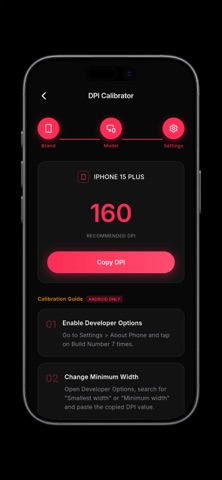
Only Red is a comprehensive utility designed to help players optimize their mobile gaming experience. The app provides a suite of configuration tools tailored to your specific device model, allowing you to fine-tune your performance and responsiveness. Key Features: GFX Optimizer Customize your graphics settings to improve performance. Adjust resolution, frame rates, and visual quality, and discover advanced tuning options to reduce lag and maintain smooth gameplay. Sensitivity Configurations Find the ideal sensitivity for your specific device. Select your phone brand and model from our database to receive calibrated recommendations for general camera, red dot, and various scope sensitivities. DPI Calibration Access device-specific DPI recommendations. Learn how to adjust your display's smallest width settings to enhance touch responsiveness and improve your overall control. Pro Player Configurations Explore the settings used by elite players and creators. Review their precise sensitivity inputs and custom HUD layouts to understand high-level gameplay mechanics. Techniques and Strategies Improve your skills with detailed guides on advanced mechanics. Learn effective movement, targeting strategies, and optimal crosshair placement. How to use: Choose a tool from the main menu. Select your device brand and model. Review the recommended configurations. Copy the settings to apply them manually. Disclaimer: Only Red provides reference configurations and does not automatically modify system or game files. All settings must be applied manually by the user. We are not affiliated with any game developers or publishers.
Audience growth
Ratings growth
Baseline captured. Growth appears after the crawler observes a changed rating count.
Momentum comes from crawler snapshots for the tracked storefront. “Viral growth signal” means unusually fast recent rating gains; it is an indicator, not download data.
Price tracking
Price intelligence
First snapshot captured. The trend line starts after the next crawler price observation.
- First observed Sep 4, 2026 · 7:55 AM Free
Screenshots