About this app
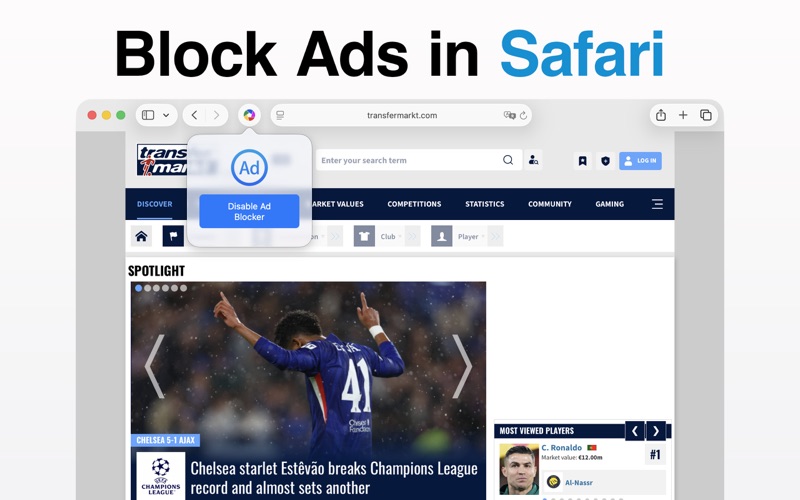
OpenHub Browser is a versatile browser designed for macOS. Quickly open web pages from the menu bar or browse in a traditional window. Set installed browsers as default, open URLs from the clipboard instantly, and enjoy built-in ad blocking and privacy protection. OpenHub Browser also offers a stylish, movable desktop edge button that shows all installed browsers. Choose your preferred browser and set it as the default for opening links. Whether you switch your system’s default browser or open links in different Mac browsers, OpenHub makes browsing simple, flexible, and efficient. * * * Core Features * * * • Support for downloading and switching between major browsers Supports Google Chrome, Firefox, Apple Safari, Microsoft Edge, Opera, Brave. • One-click system default browser switching Switch your system default browser with one click. Browse freely across multiple browsers anytime. • Quick opening of clipboard links Instantly open clipboard URLs in any browser you choose to boost efficiency. • Desktop edge switch button An edge button shows all installed browsers and lets you set one as default for links. • Quick access from the menu bar Open the browser from the menu bar in one click without switching apps Multi-tab browsing from the status bar for quick viewing of multiple sites Lightweight design with low system resource use Access web pages anytime and boost productivity • Dual ad blocking Built-in ad blocking engine that filters annoying ads Deep Safari extension integration for double protection Continuously updated ad blocking rules Faster page loads and data savings • Privacy mode browsing Private mode that does not save browsing history No cookies or cache stored, protecting your privacy Browse sensitive content with no trace Multiple windows with easy switching between normal and private modes • Smart download management Built-in download manager Pause, resume, and retry downloads Quick access to downloaded files Copy download links and manage all tasks • Bookmarks and history management Smart bookmarks with drag-and-drop reordering Quick add and edit bookmarks Full browsing history One-click history clearing for privacy • Basic browser features Customizable default search engine Customizable homepage Multi-tab browsing with a clear tab overview Fast webpage loading Quick opening of web links Full-screen video playback Quick address bar input Auto-start on login Modern user interface Family Sharing support Regular updates and improvements We respect your privacy and do not collect any personal browsing data! * * * * * * * * * * * * * * * * * * * * If you enjoy OpenHub Browser, please leave a 5-star review. Your support helps us keep improving the app. Thank you! ◆ Subscription Terms ◆ • Subscribe for unlimited access to all features within OpenHub. • Billed annually or monthly at the selected plan rate. Charged to your App Store account at purchase confirmation. By using OpenHub, you agree to our Privacy Policy and Terms of Use: http://www.elinapp.com/privacy_policy_new.html http://www.elinapp.com/terms_openhub.html https://www.apple.com/legal/internet-services/itunes/dev/stdeula/ Legal Claim: This app is not affiliated with, associated with, nor endorsed by Google in any way. All rights are reserved by Alphabet Inc. Google brand name, logo and icon are trademarks of Alphabet Inc.
Latest release
What’s New
Various bug fixes and improvements
Audience growth
Ratings growth
Baseline captured. Growth appears after the crawler observes a changed rating count.
Momentum comes from crawler snapshots for the tracked storefront. “Viral growth signal” means unusually fast recent rating gains; it is an indicator, not download data.
Price tracking
Price intelligence
First snapshot captured. The trend line starts after the next crawler price observation.
- First observed Aug 8, 2026 · 12:06 AM Free
Screenshots