About this app
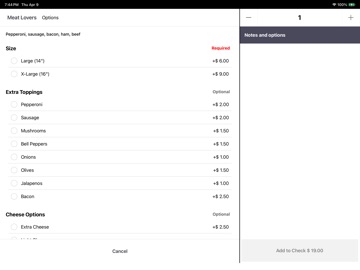
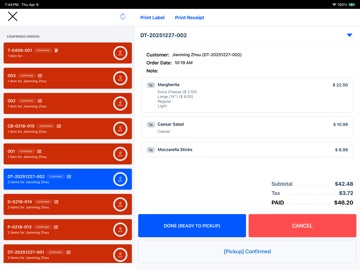
OpenPOS Terminal turns your iPad into a powerful point-of-sale system for your restaurant. Receive and manage orders, process card payments, and print receipts — all from one screen. Key Features: - Accept in-person card payments via Stripe Terminal (tap, chip, and swipe) - Receive and manage online orders in real-time - Confirm, prepare, and complete orders with one tap - Open and close tabs for dine-in customers - Print receipts and kitchen tickets to Star and Zebra printers - 86 items and modifier options instantly when you run out - Look up customers by phone number - Works with your OpenPOS storefront and dashboard seamlessly How It Works: Enter your device code to connect your iPad to your OpenPOS location — no account setup needed on the device. Your menu, settings, and orders sync automatically from your OpenPOS dashboard. OpenPOS Terminal is designed for restaurants already using OpenPOS as their cloud POS platform. Set up your store, menu, and payment processing at openpos.ai.
Latest release
What’s New
Performance enhancements.
Audience growth
Ratings growth
Baseline captured. Growth appears after the crawler observes a changed rating count.
Momentum comes from crawler snapshots for the tracked storefront. “Viral growth signal” means unusually fast recent rating gains; it is an indicator, not download data.
Price tracking
Price intelligence
- First observed Aug 17, 2026 · 9:01 AM Free
Screenshots