About this app
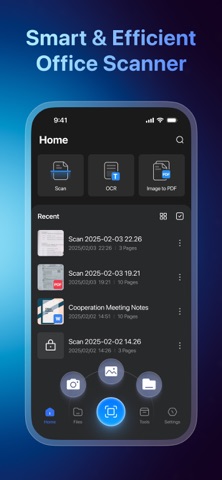
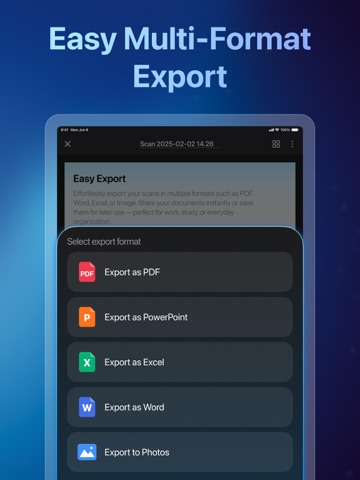
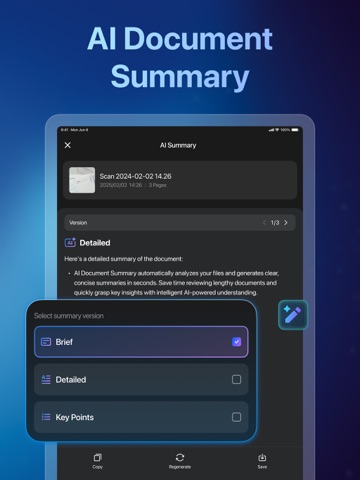
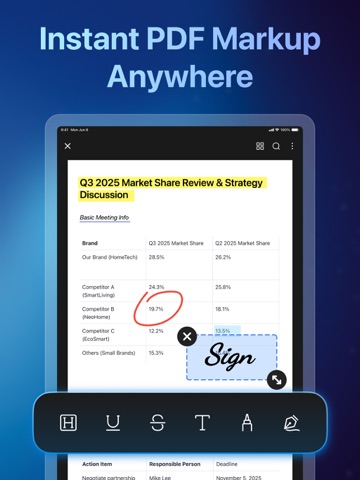
Ora Scanner is your all-in-one mobile scanner and OCR powerhouse, turning your phone into a smart pocket office. Scan, recognize text, and manage documents anytime, anywhere — faster and smarter than ever. Use your camera to scan or import images from your gallery. With advanced AI-powered OCR, Ora Scanner instantly extracts text from photos and scanned files, allowing you to edit, copy, search, and share your content in seconds. Go beyond simple scanning with powerful smart tools. Add signatures or watermarks, encrypt PDFs, rearrange pages, convert files between formats, and even measure real-world objects — all in one smooth workflow. Core Features Smart Scanning & OCR → Scan documents with your camera or import images from gallery and files. → AI-powered OCR accurately recognizes text from images, receipts, notes, IDs, books, passport, and more. → Edit, copy, search, or share extracted text instantly. → Turn scanned pages into fully searchable PDFs. Versatile Scanning & Export → Supports all document types: ID cards, passport, books, contracts, invoices, receipts, letters, and more. → Export results as Image, Long Image, PDF, or Word. → Scan multiple pages, then merge or split PDFs easily. Object Measurement → Measure the length and area of real-world objects using your camera. → Useful for documents, furniture, packages, and everyday items. PDF Editing → Crop and adjust pages. → Add signatures or watermarks. → Merge or split PDF files with one tap. → Encrypt PDFs with password protection. → Highlight, annotate, or draw on documents. → Rearrange pages to customize document order. File Conversion → Convert images to PDF. → Convert Word, Excel, and PowerPoint to PDF. → Convert Markdown, text, and web pages to PDF. → Convert PDFs to images, Word, Excel, PowerPoint, or text. Why Choose Ora Scanner? · Powerful OCR Engine – Instantly extract and edit text from photos and scans. · High-Quality Scanning – Clear, sharp, and professional-grade results. · Multi-Format Export – Save as Image, Long Image, PDF, or Word. · Simple & Intuitive – Designed for fast scanning, easy editing, and smooth file management. Privacy Policy: https://orascanner.github.io/privacypolicy.html Terms of Use: https://orascanner.github.io/termsofservices.html Download Ora Scanner now and turn your documents into searchable, editable files in seconds.
Latest release
What’s New
- Fixed known issues and improved overall stability. We're committed to continuous improvement to meet your expectations. Thanks for your support!
Audience growth
Ratings growth
Momentum comes from crawler snapshots for the tracked storefront. “Viral growth signal” means unusually fast recent rating gains; it is an indicator, not download data.
Price tracking
Price intelligence
- First observed Aug 14, 2026 · 12:50 AM Free
Screenshots