About this app
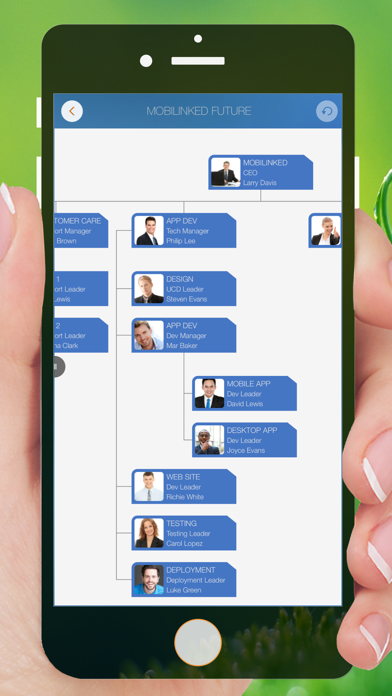
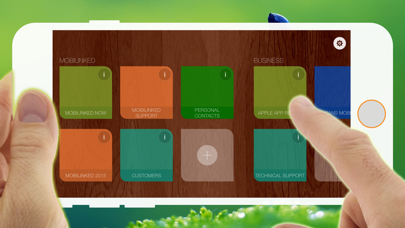
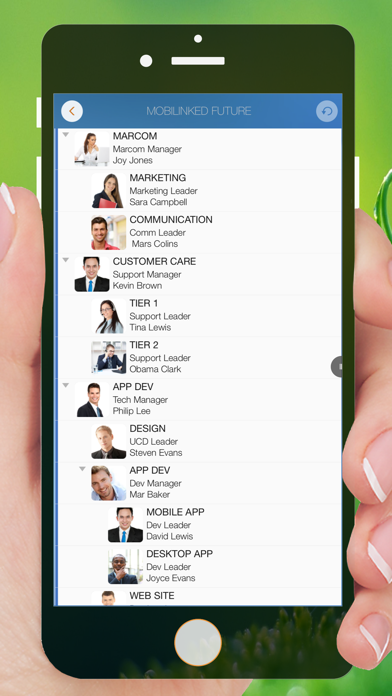
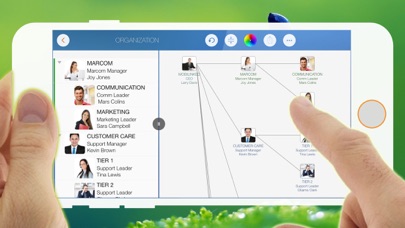
Simplify Organizational Chart Creation with NO DRAWING HASSLES: Dive into the seamless experience of creating organizational charts with OrgChart. Forget about the complicated and time-consuming drawing processes. Our app is designed to automate the chart generation, allowing you to focus on what truly matters - managing and visualizing your team structure efficiently. Simplified Chart Creation at Your Fingertips With OrgChart, you don't have to waste time drawing shapes and connecting lines. OrgChart does it for you automatically. Just enter an element and customize its color, shape, size, text, and layout. OrgChart gives you an INTUITIVE and user-friendly interface to manage your org charts. **TREE structure ONLY** OrgChart is THE easy-to-use organizational chart app for iPad. Visualize, maintain and simplify organizational elements in a TREE structure. **PRIVACY FOCUSED** Your projects are stored on your device or in iCloud Drive, as you prefer. ## Key Features: - Automatic Chart Generation: Say goodbye to drawing. Simply input your data, and let OrgChart handle the visualization, crafting detailed organizational charts effortlessly. - NO DRAWING HASSLES: Experience the freedom of creating charts without needing to draw a single line. Our intuitive system places shapes and lines automatically, making chart creation a breeze. - Comprehensive Customization: Make your organizational charts truly yours. Customize colors, shapes, sizes, and texts with just a few taps to perfectly match your company’s style. - Versatile Export and Sharing Options: Share your organizational charts with ease. Export as OrgChart, the innovative app for COMPLEXITY INTO SIMPLICITY - EFFICIENT MAINTENANCE - NO Drawing - you only need to set the visual styles of the elements - Context-based menu system - Nature gestures to arrange elements, change element hierarchy, order, zoom, collapse, expand, etc. - Batch processing, importing iOS contacts - The smoothest org chart app on a clean user interface. - Transfer visual style to all child elements. - In a clean user interface - STRONG MAINTENANCE - - Multiple org charts organized in tile groups. - Maintain elements in list and chart views - Duplicate and import org chart - Import organization elements from iOS contacts - Batch input of organizational elements - Update unit properties - photo, unit name, job title, leader, phone, email, notes - View organization chart in color or black and white - UNDO support - Copy/paste support - User interface customization options - FLEXIBILITY - - Customization of title and visibility of department fields - Visibility of department fields - Color of department elements - Nine layouts to customize the children's layout - Eight shapes - Size - Three line styles - INTUITIVE - - Pinch to zoom - Double tap to edit the properties of the element - Long press to display the function menu - Swipe left/right to change hierarchy - Hold and swipe up/down to change order and switch between groups - Tap with two fingers to shrink/expand all groups together - REPORTING - - Export a full or partial org chart as an image and PDF file (with PDF export options for PDF page size and zoom). - Export the org chart in color or in black and white (with automatic adjustment to the current display color style). - SYNCHRONIZATION - - Sync org charts between iOS and Mac devices via iCloud Drive. - SHARING - - Export org charts as .org files for sharing. - Share them via email, Airdrop, and third-party cloud apps. OrgChart is the best and only useful org chart app for Apple devices. TYPICAL SCENARIOS: - Visualizing team dynamics for presentations - Organizing personal contacts in a structured format - Quickly updating charts for different communication needs - Exporting specific chart segments for focused discussions
Latest release
What’s New
We've made general improvements and fixed various bugs for a better experience.
Audience growth
Ratings growth
Baseline captured. Growth appears after the crawler observes a changed rating count.
Momentum comes from crawler snapshots for the tracked storefront. “Viral growth signal” means unusually fast recent rating gains; it is an indicator, not download data.
Price tracking
Price intelligence
First snapshot captured. The trend line starts after the next crawler price observation.
- First observed Aug 12, 2026 · 11:03 PM Free
Screenshots