About this app
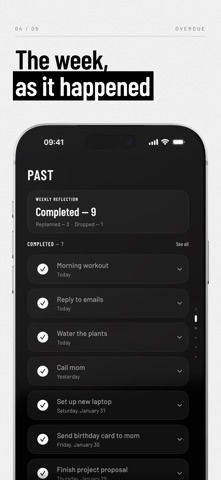
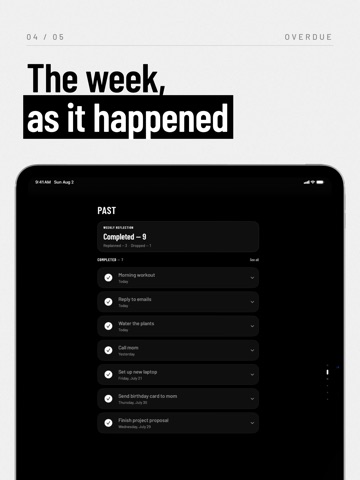
Overdue is a minimalist to-do list built around one question: When will you do it? Most to-do apps help you collect tasks. Overdue helps you decide when you will actually do them. A PLAN IS NOT A DEADLINE Every task carries two things: the day you plan to do it, and the day it is actually due. Keeping them apart is what makes a list honest. You can move a plan without pretending the deadline moved with it. ORGANIZED BY WHEN, NOT WHAT No projects, no tags, no priorities. Every task lives on a floor: Today, This Week, This Month, This Year, Someday, and Past. Swipe up and down to move between them. NOTHING QUIETLY ROTS When a plan slips, Overdue does not bury it under a red badge. It asks. Replan anything that slipped in one tap, or clear a whole backlog in about a minute. THE DAY CAN END Finish what you planned and Today says so. At the end of the week a short reflection counts what you completed, replanned and dropped. No streaks, no scores, just what happened. FEATURES • Time-based floors: Today, This Week, This Month, This Year, Someday, Past • A separate plan and deadline for every task • One-tap replan for anything that slips • Weekly reflection built from what you actually did • Recurring tasks: daily, weekly, monthly, yearly • Reminders and notifications • Important flag, notes, and location • Ten calm themes in light, dark, or automatic • Three app icons • Widgets for Home Screen, Lock Screen, and StandBy • Siri shortcuts • Fast search across everything • Import from Apple Reminders • iCloud sync across iPhone and iPad PRIVACY Your tasks stay on your device and in your iCloud account. No accounts. No tracking. No data collection. Terms of Use: https://www.apple.com/legal/internet-services/itunes/dev/stdeula/
Latest release
What’s New
Overdue is ready for iOS 27, and your tasks are ready for Siri. Siri AI (iOS 27) • Ask Siri to add a task, with a deadline, notes, a flag or a repeat, and it lands on the right floor. • Say “mark this done”, “move it to Friday” or “rename it” and Overdue makes the change, in Apple Reminders too when the task is shared. • Delete a task, open one, or search everything you have written down, by voice. • Tasks appear in Spotlight, so Siri can find “the dentist thing” even when the title says something else. • Point at a task on screen and just say “this one”. iOS 27 • Built with the iOS 27 SDK and checked screen by screen on the new system. • Your existing Siri shortcuts keep working exactly as before. Siri AI availability depends on device, language and region.
Audience growth
Ratings growth
Baseline captured. Growth appears after the crawler observes a changed rating count.
Momentum comes from crawler snapshots for the tracked storefront. “Viral growth signal” means unusually fast recent rating gains; it is an indicator, not download data.
Price tracking
Price intelligence
First snapshot captured. The trend line starts after the next crawler price observation.
- First observed Sep 17, 2026 · 11:54 AM Free
Screenshots