About this app
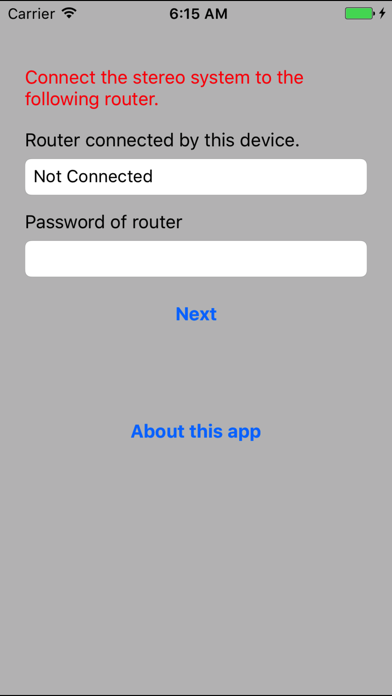
Network Setup is an application to connect the Panasonic network compatible stereo system to your home wireless router. By using this application, such as SSID input and setup in browser are not necessary and you can easily connect the stereo system to your home wireless network. The procedure to use Network Setup. 1. Connect your iPhone/iPod touch/iPad to your home wireless network. (Check the password for the home wireless network.) 2. Turn the stereo system on, and enter NET SETUP mode. 3. Start this app. 4. Enter the password for the home wireless network. 5. Press the home button to close the app. 6. Select "00 Setup ______" from [Settings] -> [Wi-Fi]. 7. When a message indicating the completion of the connection to the stereo system is displayed, press home button and restart the app. 8. Complete the setup when "SUCCESS" is displayed on the stereo system. Supported devices are as follows. [Supported devices] SC-NE3, SC-NE5 (As of April 1st, 2013)
Latest release
What’s New
This update from Apple will improve the functionality of this app. No new features are included. add 64bit support
Audience growth
Ratings growth
Baseline captured. Growth appears after the crawler observes a changed rating count.
Momentum comes from crawler snapshots for the tracked storefront. “Viral growth signal” means unusually fast recent rating gains; it is an indicator, not download data.
Price tracking
Price intelligence
First snapshot captured. The trend line starts after the next crawler price observation.
- First observed Aug 7, 2026 · 3:50 AM Free
Screenshots