About this app
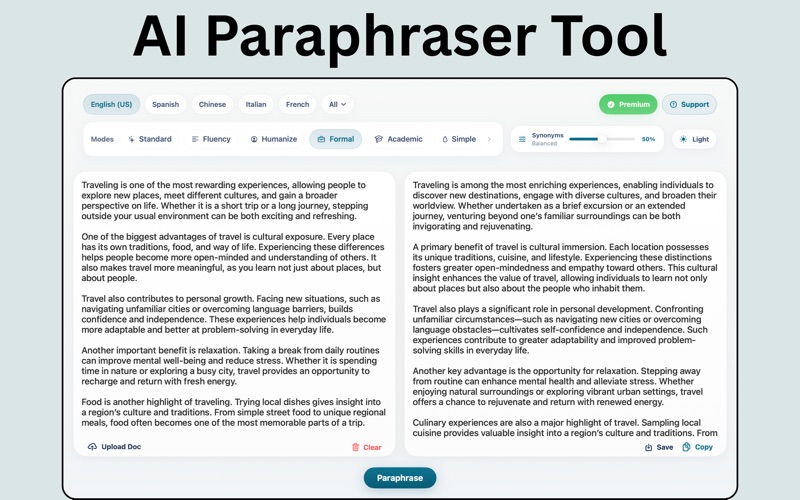
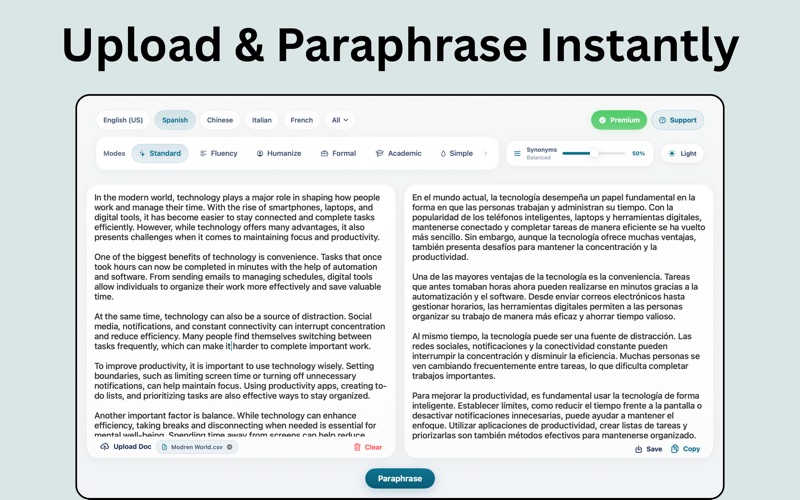
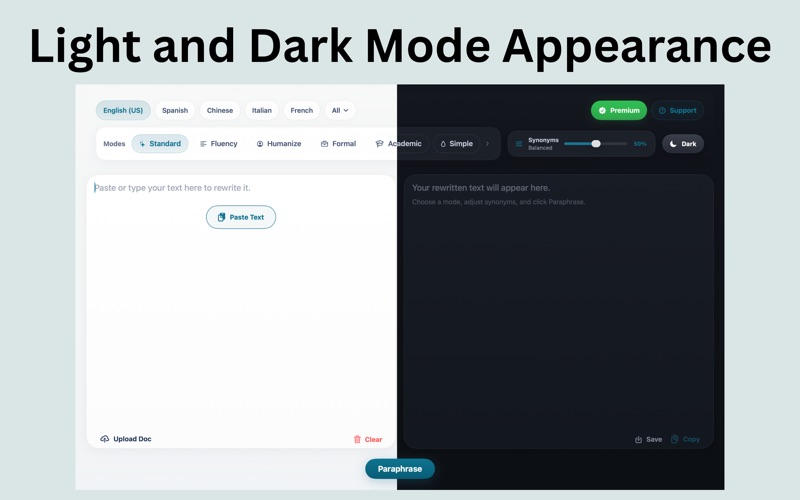
Paraphrase Tool helps you rewrite text quickly with a clean, distraction-free workspace designed for everyday writing. Paste text, upload documents, choose your preferred rewrite mode, adjust synonym intensity, and generate a clearer version in seconds. Whether you want to improve fluency, simplify wording, create a more formal tone, or shorten long passages, Paraphrase Tool makes rewriting fast, accurate, and effortless. Built for speed and simplicity, the app lets you focus on your content without distractions. From quick edits to complete rewrites, everything is optimized for a smooth and efficient workflow. Perfect for emails, essays, notes, articles, study material, drafts, and everyday writing tasks. Features: - Rewrite text in multiple styles - Multiple rewrite modes to match your desired tone and style - Adjust synonym intensity for more control - Support for multiple languages - Paste text instantly from clipboard - Upload documents and extract text for rewriting - Copy or save rewritten content easily - Clean modern interface with light and dark mode - Fast, responsive workflow built for macOS Paraphrase Tool is designed for students, professionals, writers, and anyone who wants to improve clarity, tone, and readability with less effort. Use it to: - Rewrite sentences more naturally - Improve grammar flow and readability - Make writing simpler or more professional - Adjust tone for academic or business use - Create shorter or more detailed versions of your text - Work across different languages in one place Whether you're polishing a quick message or refining longer content, Paraphrase Tool helps you write better, faster, and with more confidence. Notes: Subscriptions renew automatically unless auto-renew is turned off at least 24 hours before the end of the current billing cycle. Your iTunes account will be charged upon confirmation of purchase and again within 24 hours before renewal. Renewal will occur at the same subscription rate. Manage your subscription any time in your App Store account Settings. Use of this app is subject to our: Terms of Use (https://sites.google.com/view/swiftnestllc-terms-of-use) Privacy Policy (https://sites.google.com/view/swiftnestllc-privacy-policy) You also agree to Apple’s End User License Agreement (EULA).
Audience growth
Ratings growth
Baseline captured. Growth appears after the crawler observes a changed rating count.
Momentum comes from crawler snapshots for the tracked storefront. “Viral growth signal” means unusually fast recent rating gains; it is an indicator, not download data.
Price tracking
Price intelligence
First snapshot captured. The trend line starts after the next crawler price observation.
- First observed Aug 8, 2026 · 5:33 PM Free
Screenshots