About this app
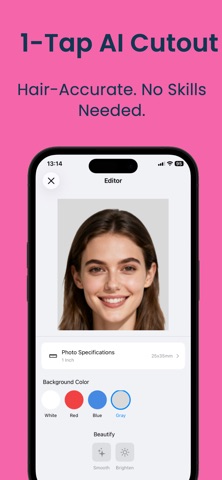
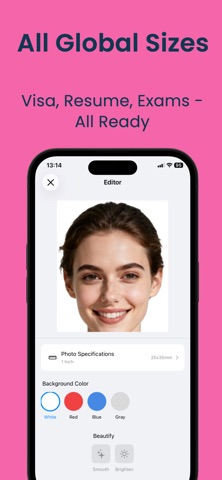
ID Photo (Passport Photo) is a professional mobile tool for creating ID photos, designed for students, job seekers, exam registrations, and various visa applications. Powered by on-device AI portrait segmentation and image processing, it supports standard ID photo sizes and background colors. One-tap background removal, fast export, simple operation, natural results, and complete privacy. Main Features AI Background Removal: Precisely detects hair edges, removes or changes background with one tap. Multiple Size Library: Includes 1-inch, 2-inch, 3-inch, 4-inch, and various exam/visa sizes (US, Japan, Schengen, etc.). Background Color Options: Standard red, white, blue; supports gray, gradient, and custom colors. Shooting Guide & QC: Real-time face alignment, posture correction, lighting and sharpness check, with automatic re-shoot prompts. Manual Retouching: Restore and erase brushes for fine-tuning cutout edges. Smart Use Suggestions: Search “US visa” or “Teacher license” to auto-match size and ratio. HD Export: Watermark-free high-definition export (premium feature). Applicable Scenarios School registration, exams, job applications, visas, certificates, and professional portraits. How to Use Take a photo or import from gallery. AI removes background and select size/color. Manually refine if needed. Preview and export; print guide included. Subscription Info Includes premium options like HD export, all sizes/colors, advanced beautify, suit templates, and cloud album. Auto-renewable weekly, monthly, or yearly subscriptions. Payment via Apple ID upon confirmation. Manage in Apple ID settings. Privacy All image processing occurs locally on your device. No portrait data is uploaded or stored. Privacy Policy: https://www.forapp.store/IDPhoto/privacy-en.html Terms: https://www.forapp.store/IDPhoto/terms-en.html
Latest release
What’s New
Fix bugs and optimize user experience.
Audience growth
Ratings growth
Baseline captured. Growth appears after the crawler observes a changed rating count.
Momentum comes from crawler snapshots for the tracked storefront. “Viral growth signal” means unusually fast recent rating gains; it is an indicator, not download data.
Price tracking
Price intelligence
First snapshot captured. The trend line starts after the next crawler price observation.
- First observed Aug 21, 2026 · 2:42 PM Free
Screenshots