About this app
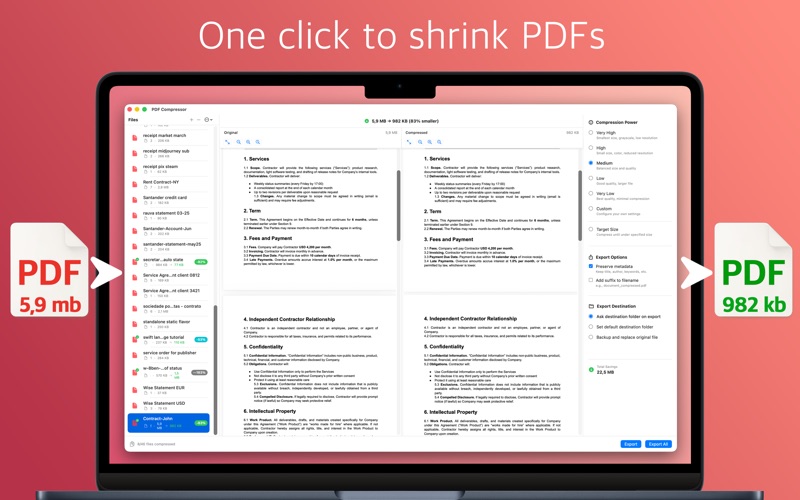
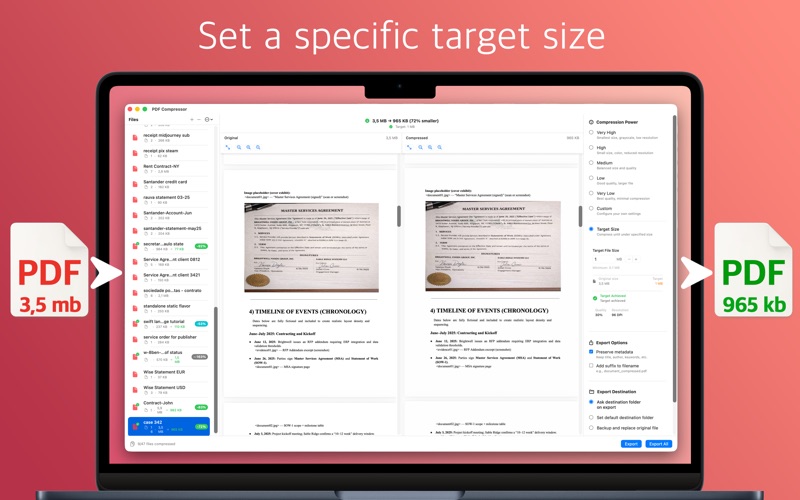
PDF Compressor helps you dramatically reduce PDF file size while keeping your documents readable and sharp. It’s built for fast, local processing on macOS, perfect for email attachments, web uploads, and saving disk space. KEY FEATURES • Reduce Size: choose a compression level and instantly shrink PDFs • Smart Target Size: set a desired file size and let the app find the best settings automatically • Re-encode: rebuild PDF structure to remove bloat-perfect for vector graphics and edited documents without losing quality • Live side-by-side preview: compare original vs compressed with zoom controls and clear size savings • Custom controls: fine-tune image quality, resolution (DPI), and color space (including grayscale) • Presets: save your favorite configurations and re-apply them in one click • Batch workflow: import multiple PDFs, reorder your list, and export efficiently • Export options: preserve or strip PDF metadata, add an optional filename suffix, and choose where files are saved PRIVACY All compression runs locally on your Mac. Your PDFs are not uploaded to any server. Designed for a clean, native macOS experience - simple when you want it, powerful when you need it.
Latest release
What’s New
• Added re-encoding: Rebuilds PDF structures to remove bloat. • Fixed bugs and implemented improvements.
Audience growth
Ratings growth
Baseline captured. Growth appears after the crawler observes a changed rating count.
Momentum comes from crawler snapshots for the tracked storefront. “Viral growth signal” means unusually fast recent rating gains; it is an indicator, not download data.
Price tracking
Price intelligence
First snapshot captured. The trend line starts after the next crawler price observation.
- First observed Aug 21, 2026 · 1:37 AM Free
Screenshots