About this app
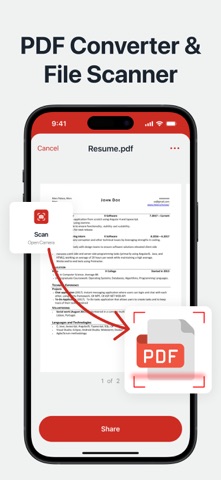
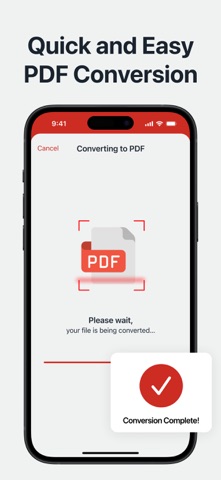
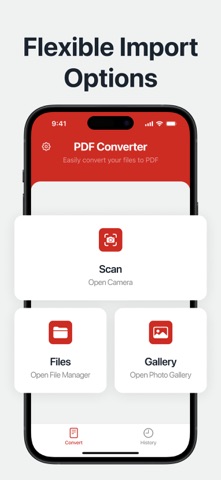
Experience the ultimate PDF conversion tool that operates completely offline, designed for users who need a quick and seamless way to convert various file types into PDF format. Whether you're dealing with images, text, zip files, Word documents, or Excel sheets, this app ensures a hassle-free experience without requiring an internet connection. Key Features of the Full PDF Converter App This app comes packed with a range of functionalities to meet your file conversion needs: - Convert various file types to and from PDF, including: - Images to PDF. - Word documents to PDF. - Excel sheets to PDF. - Text files to PDF. - Zip archives to PDF. - PDFs to images and text. - Enhanced File Security: - Unlock password-protected PDFs. - Add or remove password protection to secure your files. - Unlimited Usability: - No restrictions on file size or the number of conversions. - Perfectly optimized for high-quality results. - Effortless File Sharing: - Share your converted PDFs easily across platforms. - No Internet Required: - All conversions are done offline, ensuring speed and privacy. Supported File Formats This app accommodates a wide range of popular formats, making it versatile and efficient: - Microsoft Word documents (.doc, .docx). - Microsoft Excel spreadsheets (.xls, .xlsx). - Text files (.txt). - Rich Text Format files (.rtf). - Image files (.jpg, .jpeg, .png, .bmp, .tif, .tiff, .gif). - Existing PDF files (.pdf). - Compressed archives (.zip). Why Choose This PDF Converter? Whether you're a student, professional, or everyday user, this app provides unparalleled convenience and functionality: - Offline Capability: Work without relying on an internet connection-ideal for privacy and speed. - Exceptional Quality: Enjoy smooth and precise file conversions every time. - User-Friendly Interface: Navigate through the app effortlessly, even if you're a beginner. - Flexible Use Cases: Suitable for work, study, or personal needs. Flexible Subscription Options Choose a subscription plan that fits your requirements: - Weekly Plan with Free Trial. New users can explore the app with a 3-day free trial included in the weekly plan. You can manage your subscription anytime via your iTunes account settings. Please note that refunds are not available for unused portions of the subscription. Payment will be charged to your iTunes account upon confirmation of purchase. Opting for a subscription during the trial period will forfeit any remaining trial days. Privacy and Terms We prioritize your privacy and data security. For more details, please review our: - Privacy Policy: https://doc-hosting.flycricket.io/pdf-converter-privacy-policy/dbad6ff6-7a08-4fdb-82e6-b0fb346e0b49/privacy - Terms of Use: https://doc-hosting.flycricket.io/pdf-converter-terms-of-use/da038dfe-ddee-42c2-a1a1-6f3096604c98/terms Simplify your document management workflow today—download the PDF Converter App now!
Latest release
What’s New
error corrections
Audience growth
Ratings growth
Baseline captured. Growth appears after the crawler observes a changed rating count.
Momentum comes from crawler snapshots for the tracked storefront. “Viral growth signal” means unusually fast recent rating gains; it is an indicator, not download data.
Price tracking
Price intelligence
First snapshot captured. The trend line starts after the next crawler price observation.
- First observed Aug 15, 2026 · 5:05 PM Free
Screenshots