About this app
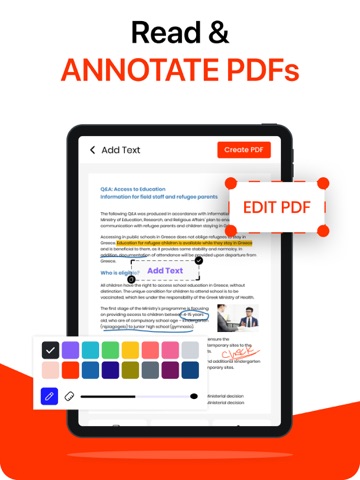
Working with PDFs shouldn't slow you down, and with this PDF editor app, that never happens. This PDF editor is specially designed to handle everything you need in one place including reading, editing, signing, photo to pdf converter, and organizing your documents without slowing you down. Whether you're managing work files, study notes, or everyday documents, everything feels smooth, fast, and easy to use with the help of image to pdf converter. Managing PDFs becomes much easier, from everyday tasks to professional work with a pdf reader. ALL-IN-ONE PDF EDITOR TOOL Handle everything in one place: • Open and read PDF files easily • Edit text and images without converting the files. • Highlight, underline, annotate, and add notes. • Add links and insert images into your PDFs. • Sign documents anytime, anywhere. • Add stamps to documents. • Merge multiple PDFs into one. • Split PDF files easily. • Convert photo to PDF using pdf converter. • Rearrange pages with simple controls. • Add watermarks to your documents. SMART READING EXPERIENCE Reading PDFs feels comfortable and flexible with smooth scrolling and easy zoom controls that make navigation easy. In the pdf editor app, multiple viewing modes support both day and night use, while quick search helps you find anything in seconds. A clean layout of image to pdf editor keeps your attention focused on the content, making it perfect for studying, reviewing, or casual reading. EASY EDITING & ANNOTATION Make changes to your PDFs without any hassle by editing existing text and updating content directly or easily adding images and links. Highlight important points, add comments, and use drawing tools for quick markups. Everything you need is right there, so no need for extra tools. FILL & SIGN DOCUMENTS Handle forms and signatures on the go by filling out forms quickly with smart fields and adding your signature in seconds with a pdf editor app. Sign contracts without printing and share completed documents instantly, saving time and avoiding unnecessary steps. KEEP YOUR FILES ORGANIZED Keep everything organized by easily renaming, moving, or deleting files whenever you need them. Merge multiple PDFs into one or split large files into smaller parts for better management. Access your documents anytime so everything stays organized without any extra effort. CONVERT & SHARE Work in different formats by converting images to PDF and exporting PDFs to popular formats with ease. Share files instantly via email or other apps so you never encounter compatibility issues and always get smooth file handling. SECURE & PRIVATE Your documents stay with you with files stored securely on your device and the option to add password protection to sensitive files. Keep both personal and work documents safe at all times so your privacy is always a priority. WHY YOU’LL LOVE IT → Clean and user-friendly interface → Fast performance without lag → No unnecessary complexity → Designed for everyday use Privacy Policy: https://sparkly-zabaione-297b74.netlify.app/privacy-policy Terms of Use: https://sparkly-zabaione-297b74.netlify.app/terms-and-conditions
Latest release
What’s New
Faster PDF editing with smoother performance Added smart annotation and highlight tools Bug fixes and UI improvements
Audience growth
Ratings growth
Baseline captured. Growth appears after the crawler observes a changed rating count.
Momentum comes from crawler snapshots for the tracked storefront. “Viral growth signal” means unusually fast recent rating gains; it is an indicator, not download data.
Price tracking
Price intelligence
First snapshot captured. The trend line starts after the next crawler price observation.
- First observed Aug 21, 2026 · 3:32 AM Free
Screenshots