About this app
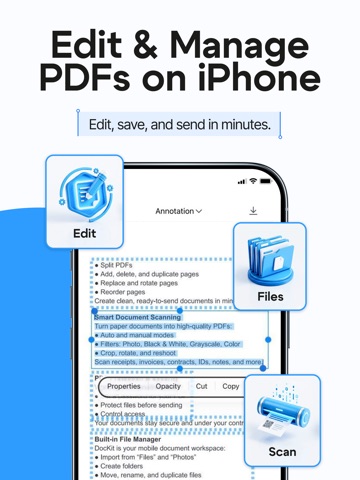
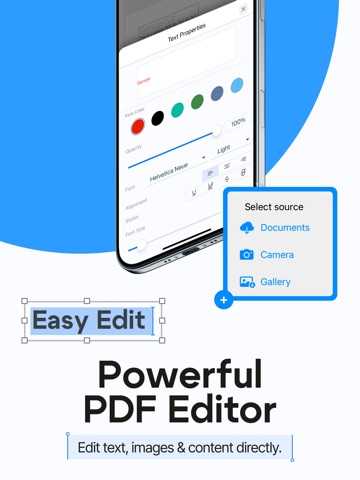
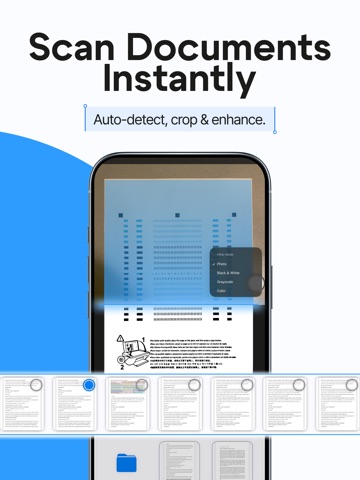
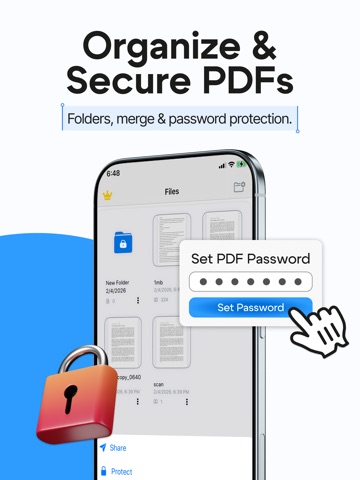
Scan, edit, organize, and secure your PDFs — all in one simple app. DocKit is the easiest way to turn paper into clean PDFs, manage your files, and make quick edits right from your iPhone. Whether you’re working, studying, or handling personal documents, DocKit helps you get everything done faster. Powerful PDF editing Edit your documents with full page control: Add pages Delete pages Duplicate pages Replace pages Rotate pages Split PDFs Merge multiple PDFs into one Make your PDFs clean, organized, and ready to share. Scan documents like a pro Create high-quality scans in seconds: Auto & Manual scan modes Built-in filters: Photo, B&W, Grayscale, Color Reshoot pages anytime if you don’t like the result Edit scanned pages: Crop, rotate, apply filters, delete pages Perfect for receipts, contracts, IDs, notes, invoices, school papers, and more. Keep documents private Protect sensitive files in one tap: Password lock for PDFs Secure your documents before sending or storing them Great for personal files, business documents, and anything confidential. Built-in file manager & folders DocKit is more than a scanner — it’s your document workspace: Import files from Files app or Photos Create folders to keep everything organized Folder actions: Move, duplicate, rename, delete Document actions: Share, lock, move, duplicate, rename, delete No more messy document chaos — keep everything structured and easy to find. Why users love DocKit Fast scanning + clean results Simple page editing tools Organize documents with folders Protect PDFs with passwords Perfect for work, school & everyday life Download PDF Editor & Scan: DocKit today and manage your documents the smart way. Links to our Terms of Service and Privacy Policy can be found below. Privacy Policy: https://file-reader.ru/pdf-editor/privacy-policy/ Terms of Use: https://file-reader.ru/pdf-editor/terms-of-service/
Latest release
What’s New
The biggest DocKit update ever: edit the text in your PDFs, sign, stamp and collect signatures — right on your iPhone. EDIT TEXT — IN THE ORIGINAL FONT DocKit now recognizes the font in your document, so every change looks like it was always there. Fix a typo, update a date, change a name or a price, rewrite a whole paragraph. No retyping the document, no white-out boxes, no laptop. Just tap the text and type. SIGN AND STAMP — NO PRINTER NEEDED Draw your signature and drop it on any page in a tap. Add your company stamp right next to it. Contracts, invoices, lease agreements, school forms, delivery notes — print, sign, scan, email is officially a thing of the past. INVITE OTHERS TO SIGN Need a signature from a client, a landlord or a colleague? Add them to the document and send it straight from DocKit. No couriers, no meeting in person, no chasing people down — the paperwork moves while you get on with your day. ANNOTATE, ADD IMAGES, CLEAN UP Leave notes and comments right on the page, mark what matters and flag what needs fixing. Insert a logo, a photo or a chart and place it exactly where you want it. Remove text or images that shouldn't be there — your PDF, your rules. SCAN IT. SIGN IT. SEND IT. Point your camera at any paper document and get a clean, sharp PDF in seconds. Then sign it, stamp it and send it back without leaving the app. Paper in, signed PDF out — in under a minute. PLUS EVERYTHING YOU ALREADY RELY ON - Add, delete, duplicate, replace and rotate pages - Split one PDF into several or merge several into one - Auto and manual scanning with Photo, B&W, Grayscale and Color filters - Password protection for confidential files - Folders to keep every document organized - Import from Files and Photos, share anywhere in one tap Got a document waiting for your signature? Open DocKit and get it done now. And if this update saves you a trip to the office, a quick rating takes five seconds and means the world to us.
Audience growth
Ratings growth
Momentum comes from crawler snapshots for the tracked storefront. “Viral growth signal” means unusually fast recent rating gains; it is an indicator, not download data.
Price tracking
Price intelligence
- First observed Aug 15, 2026 · 7:29 AM Free
Screenshots