About this app
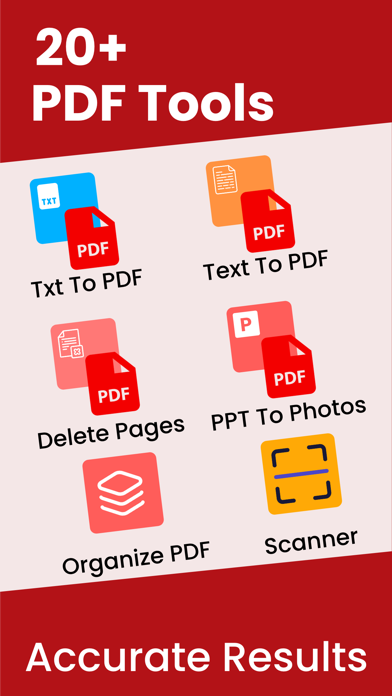
PDF Merger & PDF Converter – All-in-One PDF Toolkit PDF Merger & PDF Converter is the ultimate all-in-one solution to manage, convert, and secure your PDF documents—right from your iPhone and iPad. Whether you’re a student, professional, or business user, our powerful yet easy-to-use tools help you handle PDFs faster and smarter. Turn multiple files into a single PDF, convert documents to and from PDF, protect sensitive files, and organize pages with just a few taps. Key Features PDF Merge • Combine multiple PDFs into one document • Reorder files before merging • Fast and high-quality merging PDF to Photos • Convert PDF pages into high-resolution images • Share or save images instantly Convert To PDF Convert your documents into professional-quality PDFs: • Word to PDF • Excel to PDF • PowerPoint to PDF • Text (TXT) to PDF Perfect for sharing, printing, and archiving. Convert From PDF Easily turn PDFs back into editable formats: • PDF to Word • PDF to Excel • PDF to PowerPoint • PDF to Text Maintain formatting and content accuracy. Secure Your PDFs Protect your important documents: • Lock PDF with a password • Unlock password-protected PDFs • Keep your files safe and private Powerful PDF Tools Take full control of your PDFs: • Organize pages • Delete pages • Edit PDFs • Print PDFs • Import PDFs from Files, iCloud, or other apps Why Choose PDF Merger & PDF Converter? • Simple & intuitive interface • Fast and reliable performance • Works perfectly on iPhone & iPad • Ideal for work, school, and everyday use Download PDF Merger & PDF Converter today and manage your PDFs like a pro—anytime, anywhere. If you have any questions or suggestions, please send them to our support email. Note: Payment will be charged to your iTunes account at confirmation of purchase. Your subscription will automatically renew unless auto-renew is turned off at least 24-hours before the end of the current subscription period. Your account will be charged for renewal within 24-hours prior to the end of the current subscription period. Automatic renewals will cost the same price you were originally charged for the subscription. You can manage your subscriptions and turn off auto-renewal by going to your Account Settings on the App Store after purchase. Read our terms of service and Privacy Policy for more information. Privacy policy: https://mobileappstudio8.blogspot.com/2023/03/privacy-policy.html Terms of use: https://mobileappstudio8.blogspot.com/2023/03/terms-and-conditions.html
Latest release
What’s New
* Localized for 30+ countries * Improved UI & overall user experience * Added more file conversion options * Minor bug fixes and performance improvements Update now for a smoother and better experience
Audience growth
Ratings growth
Momentum comes from crawler snapshots for the tracked storefront. “Viral growth signal” means unusually fast recent rating gains; it is an indicator, not download data.
Price tracking
Price intelligence
- First observed Aug 14, 2026 · 12:50 AM Free
Screenshots