About this app
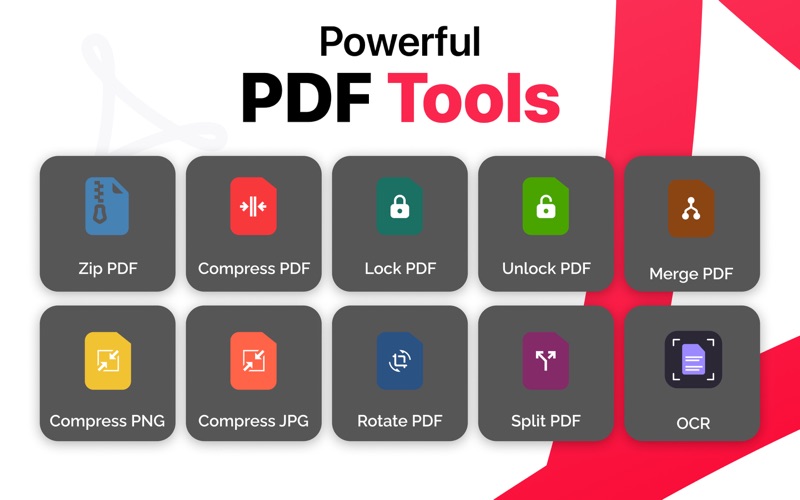
Transform, edit, and manage your PDF files with ease using PDF Converter All: Edit & Scan, the complete PDF toolkit for macOS. Convert PDFs to multiple formats, create PDFs from images, compress large files, merge documents, extract text with OCR, and secure your files with password protection. Whether you're a student, professional, business owner, or designer, PDF Converter All provides powerful tools to handle all your PDF and image conversion needs in one simple application. KEY FEATURES PDF CONVERSION • Convert PDF to Word • Convert PDF to Text • Convert PDF to JPG • Convert PDF to PNG • Convert PDF to SVG • Convert PDF to BMP • Convert PDF to TIFF • Convert PDF to EMF • Convert PDF to WMF • Convert PDF to HTML IMAGE CONVERSION • Convert Image to PDF • Convert GIF to JPG • Convert JPG to PNG • Convert GIF to PNG • Convert TIFF to PNG • Convert PNG to JPG PDF EDITING & ORGANIZATION • Merge multiple PDF files • Split PDF documents • Rotate PDF pages • Compress PDF files • Zip PDF files for easy sharing SECURITY TOOLS • Lock PDF with password protection • Unlock protected PDF files IMAGE OPTIMIZATION • Compress JPG images • Compress PNG images OCR TEXT RECOGNITION • Extract text from scanned documents and images • Convert scanned PDFs into editable text • Improve productivity with fast Optical Character Recognition (OCR) WHY CHOOSE PDF CONVERTER ALL? • Fast and accurate file conversion • Easy-to-use macOS interface • High-quality output files • Batch processing support • Secure local file processing • All-in-one PDF and image management solution Whether you need to convert PDFs, compress large documents, merge files, create PDFs from images, or extract text from scanned documents, PDF Converter All: Edit & Scan provides everything you need to work smarter and more efficiently on your Mac. Download now and simplify your PDF workflow with powerful conversion, editing, compression, scanning, and security tools. Support: samiullah19451@gmail.com Terms of Use (EULA): https://docs.google.com/document/d/1SDvW8Wo6H4yZPFt9tEKY0dIdHzXM5OgMOvUwnr_oR7k/preview
Audience growth
Ratings growth
Baseline captured. Growth appears after the crawler observes a changed rating count.
Momentum comes from crawler snapshots for the tracked storefront. “Viral growth signal” means unusually fast recent rating gains; it is an indicator, not download data.
Price tracking
Price intelligence
First snapshot captured. The trend line starts after the next crawler price observation.
- First observed Aug 8, 2026 · 11:48 PM Free
Screenshots