About this app
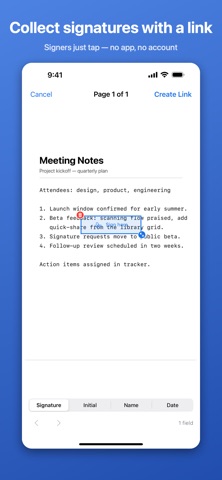
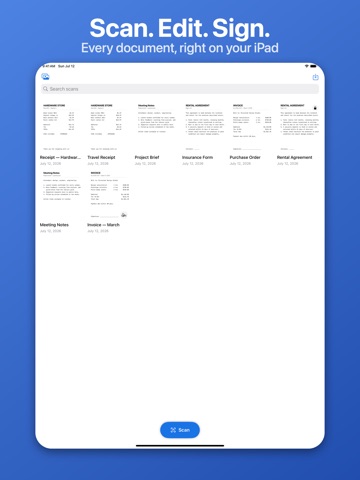
Doc Scan & Sign turns your iPhone into a document scanner and a signature-collection tool — with no accounts, no subscriptions, and no ads. SCAN • Capture documents with automatic edge detection • Every scan becomes a searchable PDF — text is recognized on-device • Color, grayscale, and black & white filters; rotate and reorder pages • Find any document by searching the words inside it EDIT • Add text, images, and your own signature to any PDF • Fill PDF forms (real form fields, not overlays) • Erase parts of a page — truly removed, not hidden • Import PDFs from anywhere, including password-protected ones • Protect any document with a password COLLECT SIGNATURES • Place Signature, Initial, Name, and Date fields on your document • Share a private link — your signer opens it in any browser, no app or account needed • They draw their signature once and it fills every field; dates stamp automatically • The signed result appears back in your document, locked against editing, with a green "Signed" badge • Signers can revisit their link for 14 days to view what they signed PRIVATE BY DESIGN • Your library lives on your device — scans never leave your phone unless you share them • Only documents you send for signature are uploaded, and they're deleted from the server no later than 14 days after signing • No account, no analytics, no ads, no data sold — ever Whether it's a lease, a permission slip, a contract, or a receipt: scan it, fix it up, get it signed.
Audience growth
Ratings growth
Momentum comes from crawler snapshots for the tracked storefront. “Viral growth signal” means unusually fast recent rating gains; it is an indicator, not download data.
Price tracking
Price intelligence
- First observed Aug 15, 2026 · 2:14 PM Free
Screenshots