About this app
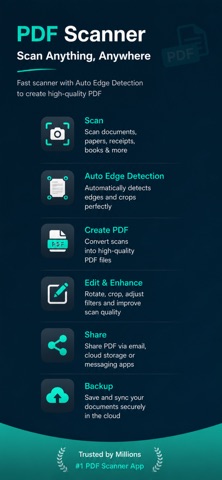
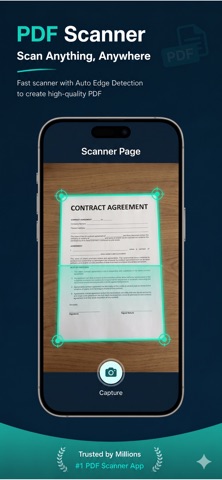
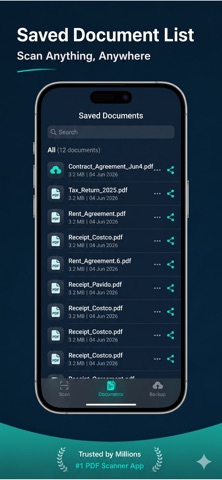
Doc Scanner – Scanner App, Scan, Save, Share Documents Instantly Cam Scanner - PDF Docs Scanner Doc Scanner – Turn your iPhone into a powerful document scanner. Document Scanner – Scanner App lets you scan documents, receipts, notes, IDs, books, and contracts with crystal-clear quality. Create high-quality PDF scans, apply smart enhancements, and share files anytime, anywhere. Doc Scanner – Perfect for students, professionals, businesses, and freelancers. # Key Features # Smart Document Scanner * Scan documents using your iPhone camera * Automatic edge detection & perspective correction * High-quality PDF & JPG output # AI Image Enhancement * Auto crop & rotate pages * Remove shadows & noise * Enhance text for sharp readability # PDF Scanner & Creator * Convert scans into PDF files * Merge multiple pages into one PDF * Reorder, rename, and manage documents easily # OCR Text Recognition * Extract text from scanned documents * Copy, edit, and search text instantly * Supports multiple languages # Secure & Private * Face ID / Touch ID protection * Local file storage for privacy * Password-protected PDFs # Easy Sharing & Export * Share scans via Email, WhatsApp, Drive, iCloud * Export PDFs or images instantly * Print documents directly from the app # Why Choose Document Scanner – Scanner App? - Fast & lightweight scanner app - Works offline – no internet required - Perfect for office, school & home - Clean iOS-style design & smooth performance - Best alternative to CamScanner & Adobe Scan # Use Cases * Scan office documents & contracts * Digitize receipts & bills * Scan notes, books & assignments * Create PDFs for work or study * Store important documents securely # Keywords Document Scanner, Scanner App, PDF Scanner, Scan Documents, Mobile Scanner, OCR Scanner, PDF Maker, iOS Scanner App, Camera Scanner, Receipt Scanner Terms of Use (EULA):, please visit https://www.apple.com/legal/internet-services/itunes/dev/stdeula/ For Privacy Policy, please visit https://www.freeprivacypolicy.com/live/6c9c96f5-1ee8-43df-803e-951b788544ca We'd love to hear your feedback: nikkavathiya.gamedev@gmail.com
Latest release
What’s New
Faster app launch and improved performance Higher-quality PDF exports Improved document edge detection Better image enhancement filters Stability improvements and bug fixes
Audience growth
Ratings growth
Baseline captured. Growth appears after the crawler observes a changed rating count.
Momentum comes from crawler snapshots for the tracked storefront. “Viral growth signal” means unusually fast recent rating gains; it is an indicator, not download data.
Price tracking
Price intelligence
First snapshot captured. The trend line starts after the next crawler price observation.
- First observed Aug 21, 2026 · 11:46 AM Free
Screenshots