About this app
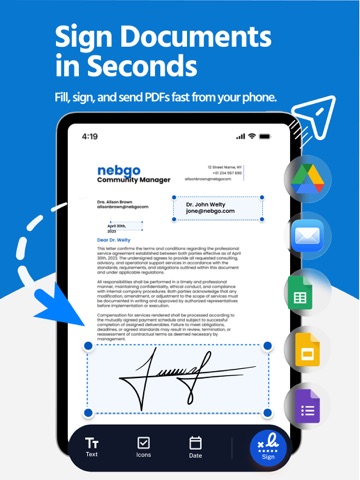
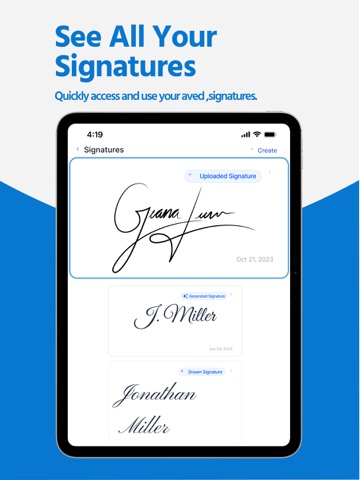
PDF Signature Tools is an all-in-one solution for anyone who wants to manage every document faster and more easily from one place. Whether you need a signature tool, a scanner, an editor, a converter, or a practical way to organize files, this app is built to simplify your workflow. It helps you handle PDF and document tasks without wasting time, making it easier to work with forms, images, text, and scanned pages whenever you need them. Create a signature in seconds, add it to a form, scan a paper document with the built-in scanner, convert a photo into a clean PDF, and keep your files ready to share. The app is designed for users who want a simple but powerful experience for signature, scanner, editor, and converter needs. From daily paperwork to business contracts, PDF Signature Tools brings together the most important features in one easy workflow. Need to sign a document quickly? Create your own signature directly on screen and place it where you want. Need to complete a form? Add text, review the page, and prepare the file for sending. Need to turn a photo, image, jpg, or png into a more usable document format? Use the converter and scanner tools to transform physical pages and visual content into digital files you can store, edit, or share. If you work with docx content, text-based files, or scanned pages, the app helps you keep everything more organized and accessible. PDF Signature Tools is more than a simple signature app. It is also a smart scanner and practical editor built for modern document tasks. You can scan receipts, contracts, notes, records, and forms, then review each document before sharing. You can import photo content, image pages, jpg captures, png screenshots, and other files, then use the app as a converter to bring everything into a clearer document workflow. This makes it useful for work, school, office tasks, and everyday personal use. The signature experience is designed to be quick and flexible. You can create a new signature, save it, and reuse it across multiple files. This saves time when working with recurring form tasks, contract approval, or repeated document updates. The scanner helps capture pages clearly, while the editor gives you a better way to complete, review, and manage important text and document details. With support for document handling across photo, image, jpg, png, docx, text, and other files, the app gives you a more complete mobile productivity experience. Whether you want to create a signature, use a scanner to scaner pages into digital copies, work as an editor for quick updates, or use a converter for better file management, PDF Signature Tools helps you stay productive without unnecessary complexity. Every feature is designed to help you create, scan, edit, convert, and manage files with fewer steps. This app is ideal for professionals, students, freelancers, and anyone who regularly works with a form, document, image, or text file. Use it to create and save a signature, prepare a form before sending, scaner and scanner paper pages into digital files, organize jpg and png imports, improve document clarity, and keep your files ready whenever needed. If your workflow includes contracts, agreements, applications, records, letters, reports, and shared text documents, PDF Signature Tools gives you a faster and more convenient solution. PDF Signature Tools combines the value of a signature app, scanner app, editor app, and converter app into one place. Instead of switching between multiple tools for document preparation, photo import, image conversion, file review, and form completion, you can handle everything in one app. Create what you need, manage files with confidence, and keep your document process simple from start to finish. Support: https://sites.google.com/view/pdf-tools-mavrix/support Terms of Use: https://sites.google.com/view/pdf-tools-mavrix/terms-of-use Privacy Policy: https://sites.google.com/view/pdf-tools-mavrix/privacy
Latest release
What’s New
Added support for new languages. Improved performance, fixed bugs, and enhanced the overall user experience for a smoother and more reliable workflow.
Audience growth
Ratings growth
Baseline captured. Growth appears after the crawler observes a changed rating count.
Momentum comes from crawler snapshots for the tracked storefront. “Viral growth signal” means unusually fast recent rating gains; it is an indicator, not download data.
Price tracking
Price intelligence
First snapshot captured. The trend line starts after the next crawler price observation.
- First observed Aug 19, 2026 · 10:53 AM Free
Screenshots