About this app
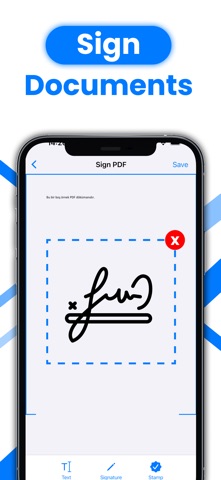
PDF Signer is a fast, simple, and reliable tool designed to help you sign, edit, and manage your documents with ease. Whether you work with contracts, forms, images, or multi-page PDFs, PDF Signer provides all the essential tools in one place for a smooth and efficient document workflow. Key Features Sign PDFs and Images Create your signature using your finger or stylus, import existing signatures, and place them anywhere on your document. Perfect for contracts, forms, and official papers. Add Stamps and Seals Insert custom stamps, seals, and logos. Import your own designs or choose from ready-to-use options. Supports transparent backgrounds for cleaner results. Merge PDF Files Combine multiple PDF documents into a single file. Rearrange pages easily and export your final version in high quality. Work with Images Import JPG, PNG, and other image formats. Add signatures, stamps, and text directly onto your visuals and export them as PDF files. File Management Save, share, and export your edited documents seamlessly. Fully compatible with iCloud, Files app, and other storage services. Who Is PDF Signer For? Professionals, freelancers, students, and anyone who needs to sign or manage documents quickly and efficiently. Why Choose PDF Signer? Clean and intuitive interface, fast processing, high-quality exports, and a distraction-free experience built for productivity. Legal Information: Privacy Policy: https://sites.google.com/view/using-privacy/ana-sayfa User Terms: https://sites.google.com/view/esing-terms/ana-sayfa EULA: https://www.apple.com/legal/internet-services/itunes/dev/stdeula/ Support Contact us for assistance: iibrahimkahramnn@gmail.com
Latest release
What’s New
We fixed the performance.
Audience growth
Ratings growth
Baseline captured. Growth appears after the crawler observes a changed rating count.
Momentum comes from crawler snapshots for the tracked storefront. “Viral growth signal” means unusually fast recent rating gains; it is an indicator, not download data.
Price tracking
Price intelligence
First snapshot captured. The trend line starts after the next crawler price observation.
- First observed Sep 1, 2026 · 2:55 PM Free
Screenshots