About this app
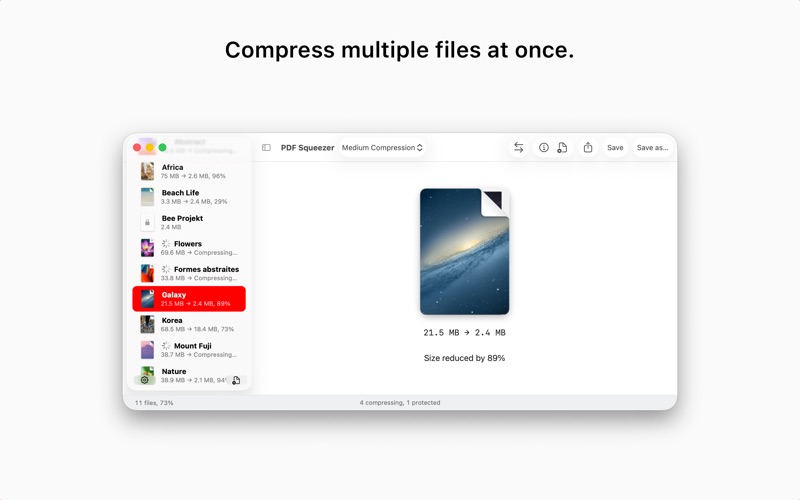
PDF Squeezer for macOS makes compressing PDFs easier than ever. Simply drag and drop your file into the app, and it quickly reduces the file size without compromising quality. At the same time, it optimizes the document’s structure by removing unnecessary elements, leaving only the essential content. It’s no surprise that PDF Squeezer has been the most popular PDF compression app for Mac for years! Save gigabytes of data after compressing your PDF files with PDF Squeezer. The compressed files can be read by every common PDF software, so that you can send them to everyone without hesitation. When sending files, less is definitely more. The smaller the size, the quicker it sends! Key Features: • Everything Mac: Specifically designed and engineered to work optimally with macOS • Drop it like it’s hot: Drag and drop your file into the application window or on the app icon • The more the merrier: Batch compress multiple files • Every bit counts: Sophisticated compression process that uses numerous methods to reduce the file size • Automate your workflow: Includes Shortcuts and Automator actions and a command line interface • Compression Profile: Select from predefined compression profiles OR create your own! • Folder Convenience: Select a folder and compress all its files – including subfolders • Watchdog: Support for password-protected PDFs • View metadata and file properties: View information like title, author, keywords or the number of images and the average resolution • More tools than just compression: Use more tools like exporting all images of a PDF • Side by side Comparisons: Compare files and different compression settings easily • Sharing is caring: Export and share your compression profiles with others • Full-screen mode: The app window supports a full-screen mode which is especially useful when comparing compressions • Up to date: Conforms to all common PDF versions from 1.0 to 1.7 and 2.0 • Stats, stats, stats: See how much disc space you’ve saved since you started using PDF Squeezer PDF Squeezer is a user-friendly and convenient app that allows you to send those important PDF files when you need to - without file size constraints! PDF Squeezer 4 runs well on both Intel and Apple Silicon Macs (M1, M2, M3, M4, ...)
Latest release
What’s New
FIX: Fixed some compressed PDFs displaying black page backgrounds. FIX: Profile names in the comparison picker now update immediately after recompression to show the new file size and compression percentage. NEW: Added multi-core image processing for significantly faster compression of image-heavy PDFs. The more cores your CPU has, the faster the process will be. NEW: In comparison mode, both documents now remain aligned continuously while pinch-to-zoom is in progress. FIX: Fixed readability problems affecting text embedded in scanned images. FIX: Fixed Automator profile settings not always resetting to their default values. NEW: Added smarter lossless compression for monochrome images and scanned pages, including a new option to prevent downsampling monochrome scans for better image quality.
Audience growth
Ratings growth
Baseline captured. Growth appears after the crawler observes a changed rating count.
Momentum comes from crawler snapshots for the tracked storefront. “Viral growth signal” means unusually fast recent rating gains; it is an indicator, not download data.
Price tracking
Price intelligence
First snapshot captured. The trend line starts after the next crawler price observation.
- First observed Aug 13, 2026 · 10:04 AM $19.99
Screenshots