About this app
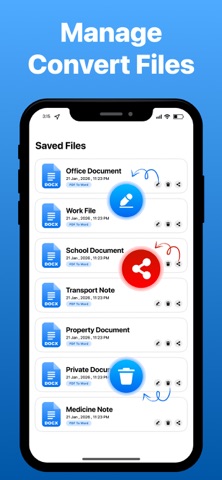
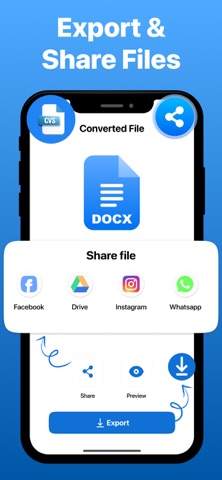
PDF to Word Converter – Smart PDF Scanner & DOCX Tool Convert PDF files into fully editable Word documents in seconds with PDF to Word Converter. This powerful tool works as a PDF to DOCX Converter, helping you turn PDFs into editable text with high accuracy. Whether you need PDF to Word, PDF to DOCX, or want to edit scanned documents, this app delivers fast and reliable results using advanced technology. Convert PDF to Word with High Accuracy Upload or scan any PDF file and instantly convert it into an editable Word document. As a smart PDF to Document Converter, the app preserves formatting, fonts, and layout for clean results. - PDF to Word conversion with high accuracy - Convert PDF to DOCX format instantly - Maintain original layout and formatting - Supports scanned and digital PDFs - Fast and reliable document conversion Powerful Smart Tools This app is more than just a PDF to Word Converter. It includes advanced tools to scan, extract, and manage your documents efficiently. - PDF scanner for documents and files - OCR technology for scanned PDFs - Extract text from PDF instantly - Built-in document viewer - Quick file processing Edit & Customize Documents After converting PDF to Word, you can easily edit your content without hassle. Make quick changes and improve your document instantly. - Edit text in Word documents - Fix formatting and layout - Replace words and content - Clean OCR text for better accuracy Export Files in Multiple Formats Export your converted files in formats that suit your workflow. - Export as Word (DOCX), PDF - Compatible with all document apps - Easy access across devices Share Files Anytime Quickly share your converted documents with others. - Share Word or PDF files - Send via email, cloud storage, or apps - Perfect for work and collaboration Ideal for Multiple Use Cases - Office documents and reports - Contracts and business files - Study notes and assignments - Scanned documents editing - Daily PDF to Word conversion tasks Why Choose This App? - Reliable PDF to Word Converter - Fast and accurate conversion - Advanced OCR for scanned PDFs - Easy-to-use interface - Secure and efficient performance Turn your PDF files into fully editable Word documents instantly. Edit, manage, and share your content with a powerful PDF to Word Converter. This app offers both free and premium features. Some advanced tools and features may require a subscription. Privacy Policy https://health-fitness-pro.fit/privacy Terms of Service https://health-fitness-pro.fit/terms
Latest release
What’s New
Hi! We've made your PDF to Word conversion experience even better. • Improved PDF to Word conversion accuracy. • Faster file processing and performance enhancements. • Enhanced OCR for better text extraction from scanned PDFs. • Fixed minor bugs and improved overall app stability. Update now and enjoy a smoother, more reliable experience!
Audience growth
Ratings growth
Baseline captured. Growth appears after the crawler observes a changed rating count.
Momentum comes from crawler snapshots for the tracked storefront. “Viral growth signal” means unusually fast recent rating gains; it is an indicator, not download data.
Price tracking
Price intelligence
First snapshot captured. The trend line starts after the next crawler price observation.
- First observed Aug 8, 2026 · 5:02 PM Free
Screenshots