About this app
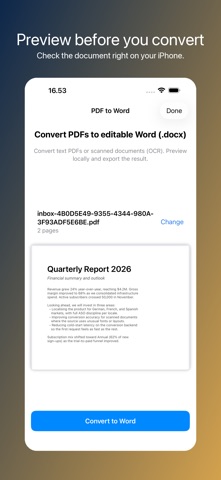
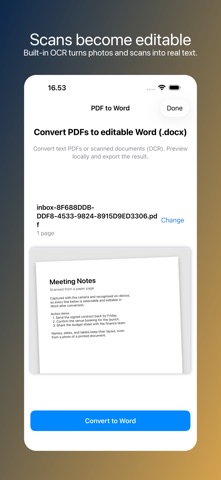
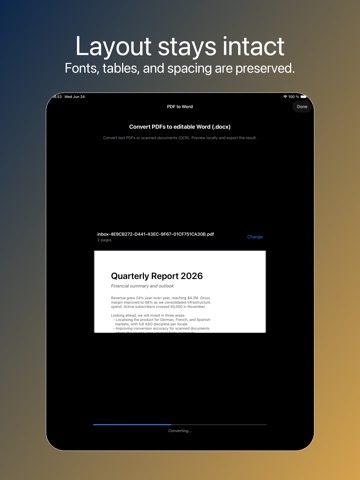
Convert any PDF into an editable Word document in seconds — keep your formatting, scan text from photos, and pick up editing where the PDF left off. PDF to Word turns any document — text PDFs, scanned pages, contracts, reports, recipes, syllabi — into a clean, editable .docx file you can open in Microsoft Word, Apple Pages, Google Docs, or anything else that reads it. WHY USE PDF TO WORD • True PDF-to-Word conversion — not a screenshot, not a flat re-export. The output is fully editable, with paragraphs, bullets, headings, tables, and embedded images intact. • OCR for scanned PDFs — turn photographed pages into searchable, editable text without retyping a single word. • Professional engine — your file is processed through the same technology used by desktop PDF tools, not a cheap open-source copy. Tables stay aligned. Columns stay in columns. • Formatting preserved — fonts, spacing, bullet lists, numbered lists, headings, and image placement come through cleanly so you can pick up editing instead of starting over. • iPhone, iPad, anywhere — pull a PDF from email, Files, Messages, Safari, or any share sheet. No desktop needed. • Private by design — no accounts, no email signup, no tracking. Files are processed for the conversion and discarded immediately after. • Share-ready — drop the converted .docx straight into Word, Pages, Google Docs, Drive, Dropbox, or any app that handles Word documents. HOW IT WORKS 1. Pick a PDF from Files, Mail, Messages, Safari, or anywhere a share sheet lives. 2. Preview the document locally to make sure it's the right one. 3. Tap Convert to Word. The file is sent through the secure conversion engine — about ten seconds for a typical page. 4. Get an editable .docx back, ready to share or open in your favourite editor. OCR — TURN SCANS INTO EDITABLE TEXT If your PDF is a scan (a photo of paper, not a real document), the OCR engine reads the text out of the image so you can edit it as words instead of pixels. Works on receipts, contracts, handwritten forms, old reports, library books — anywhere paper got turned into a PDF. GREAT FOR • Editing PDFs from work email • Updating contracts, agreements, and forms • Translating scanned documents • Pulling tables and charts out of research reports • Repurposing chapters of e-books and syllabi • Cleaning up the messy output of older OCR tools • Adapting templates someone sent • Saving important paper documents as searchable Word files PRICING Free: convert a PDF and preview the result on your device. Weekly Premium: download and share editable Word files (.docx), up to 300 pages per file. Annual Premium: best value, up to 500 pages per file. FAIR USE Downloading the converted Word file requires a subscription. To keep the service sustainable, premium use has a generous fair-use cap: 30 conversions per 7 days (Weekly) and 150 per 30 days (Annual). Per-file page limits: 300 (Weekly), 500 (Annual). SUBSCRIPTION TERMS This app offers a weekly subscription and an annual subscription. Payment is charged to your Apple ID at confirmation of purchase. Subscriptions automatically renew unless cancelled at least 24 hours before the end of the current period. Manage or cancel subscriptions in your Apple ID Account Settings. Restore purchases from the app settings. Terms of Use (EULA): https://www.apple.com/legal/internet-services/itunes/dev/stdeula/
Latest release
What’s New
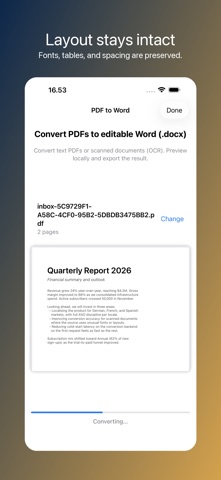
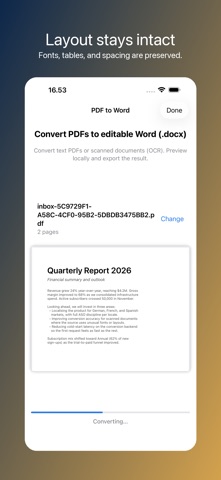
Large and scanned PDFs now convert far more reliably. Conversions run in the background with a live progress timer, so you always get your Word file — even when a scanned document takes a little longer to read with OCR.
Audience growth
Ratings growth
Baseline captured. Growth appears after the crawler observes a changed rating count.
Momentum comes from crawler snapshots for the tracked storefront. “Viral growth signal” means unusually fast recent rating gains; it is an indicator, not download data.
Price tracking
Price intelligence
First snapshot captured. The trend line starts after the next crawler price observation.
- First observed Aug 21, 2026 · 2:48 AM Free
Screenshots