About this app
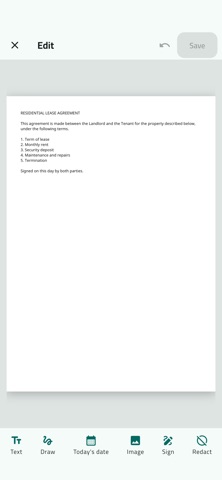
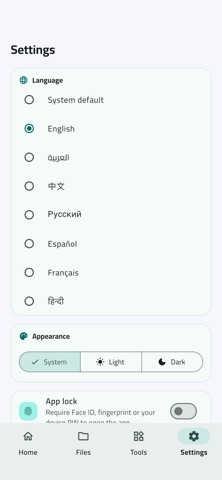
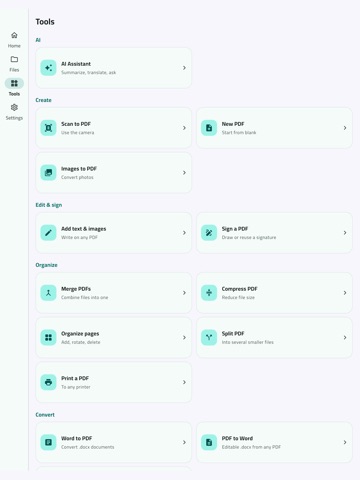
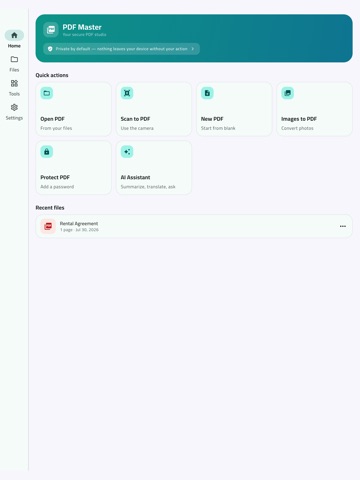
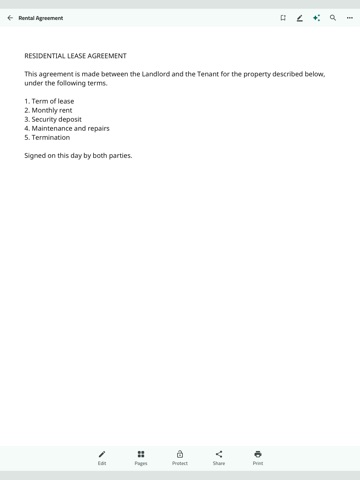
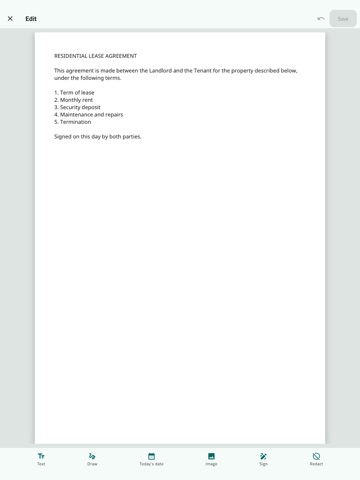
The private, bilingual PDF studio. Everything works on your device — nothing leaves it without your action. READ & ORGANIZE • Fast viewer with search, night & sepia modes, and reading position memory • Your own named bookmarks + document outline • Files library: folders, favorites, sort & filter, list or grid • Recently deleted with 30-day restore — nothing lost to a mis-tap EDIT & SIGN • Add text in any language — Arabic renders perfectly, inside the PDF itself • Draw signatures (5 colors), save and reuse them across documents • Insert images, today's date (Hijri Umm al-Qura or Gregorian) • Highlight, underline, strikethrough, sticky notes — real PDF annotations • Organize pages: add, scan, rotate, delete; watermark & page numbers SCAN & CONVERT • Scan multi-page documents with your camera straight to PDF • Images, text and Markdown to PDF; extract ZIP archives (even passworded) • Compress PDFs with four levels and size preview • Compress photos (see the resulting size first) and videos (720p/540p/480p) • Built-in image viewer and video player • Convert Word (.docx) to PDF and PDF to Word or text — on-device, in every language • Multi-select files and folders: batch share, zip, move, or delete • Split PDFs by page count or custom ranges; merge, reorder, extract • Fill PDF forms — saved automatically, with form-data export and import • Automation profiles: one tap runs your saved recipe (compress + watermark + protect + rename) on many files • Bates numbering across whole batches — continuous legal-grade counters • Color tags for organizing; reading progress on your recent files • Wi-Fi transfer: move files to/from your computer's browser, no cable, no cloud • Search inside all your documents at once, with page-level results • All annotations in one panel; export your highlights as study notes • Read-aloud sleep timer for bedtime listening • Back up your whole library as one ZIP; continue reading where you left off • Type directly on the page: movable, resizable text boxes with bold, italic and colors PRIVATE & SECURE • AES-256 password protection, fully on-device • Biometric App Lock (Face ID / fingerprint) • No account, no ads, no tracking — optional cloud backup, off by default • Metadata scrub removes hidden personal info from files AI ASSISTANT (optional) • Summarize, extract key points, translate AR⇄EN, or ask anything • Only the document's text is sent — never the file, never without your tap Full Arabic and English interface. Works on phones and tablets.
Latest release
What’s New
PDF Master 1.1 — scans that work like real documents. • OCR: make any scan searchable, selectable and copyable, in English and Arabic • Better scanning: straighten, crop, sharpen and write on a page before saving • QR & barcode reader from a photo, a PDF or the camera • Set or remove a document password straight from the viewer menu • Swipe to delete, a lock badge on protected files, passwords for ZIPs • Open PDFs, images and video straight from other apps No adverts, and no account needed.
Audience growth
Ratings growth
Baseline captured. Growth appears after the crawler observes a changed rating count.
Momentum comes from crawler snapshots for the tracked storefront. “Viral growth signal” means unusually fast recent rating gains; it is an indicator, not download data.
Price tracking
Price intelligence
First snapshot captured. The trend line starts after the next crawler price observation.
- First observed Aug 24, 2026 · 1:39 AM Free
Screenshots