About this app
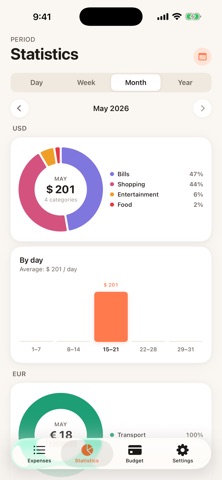
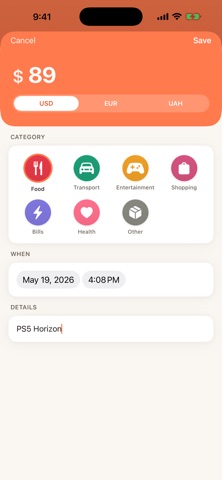
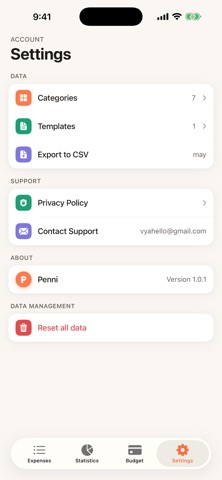
Penni is a private expense tracker that lives only on your iPhone. No cloud sync. No user accounts. No analytics. No tracking. Your money — your device. PRIVATE BY DESIGN Penni makes zero outbound network requests. Don't take our word for it: open iOS Settings → Privacy & Security → App Privacy Report after using Penni. You'll see nothing — because there's nothing to send. THREE CURRENCIES Track expenses in USD, UAH and EUR — each currency separately. No exchange rates. No conversions. No surprises. MONTHLY BUDGETS Set a per-currency limit. Watch progress fill up in real time. Adjust as you learn your habits. QUICK ACTIONS Long-press the app icon to log an expense in one tap — straight from your Home Screen. Your most-used templates are always one gesture away. VISUAL INSIGHTS Donut charts by category. Daily and monthly bar charts. Spot patterns in seconds, not hours. DARK MODE Adapts to your system theme automatically. Designed to feel right at any hour. CSV EXPORT Your data is yours. Export to CSV anytime — take it wherever you want. CATEGORIES & TEMPLATES Use 7 default categories or create your own with custom icons and colors. Save frequent expenses as templates. ENGLISH & UKRAINIAN Full localization for Ukraine. Built by a developer in Kyiv. WHAT WE DON'T DO - No accounts - No servers - No cloud sync - No analytics - No ads - No tracking Free. Forever. Privacy is the foundation, not a feature. Questions? Reach out at vyahello@gmail.com
Latest release
What’s New
A smoother, more delightful Penni. • Beautiful new animations throughout the app: amounts count up smoothly, charts rise into view, and budget bars fill with fluid motion. • Every button and card now responds with subtle touch feedback. • Gentle haptic feedback when selecting currencies, categories, and chart bars. • Fixed: totals on the main screen now update instantly after adding an expense. • Supports Reduce Motion — animations step aside if you prefer less movement. Still 100% offline, private, and free.
Audience growth
Ratings growth
Baseline captured. Growth appears after the crawler observes a changed rating count.
Momentum comes from crawler snapshots for the tracked storefront. “Viral growth signal” means unusually fast recent rating gains; it is an indicator, not download data.
Price tracking
Price intelligence
First snapshot captured. The trend line starts after the next crawler price observation.
- First observed Sep 4, 2026 · 1:58 AM Free
Screenshots