About this app
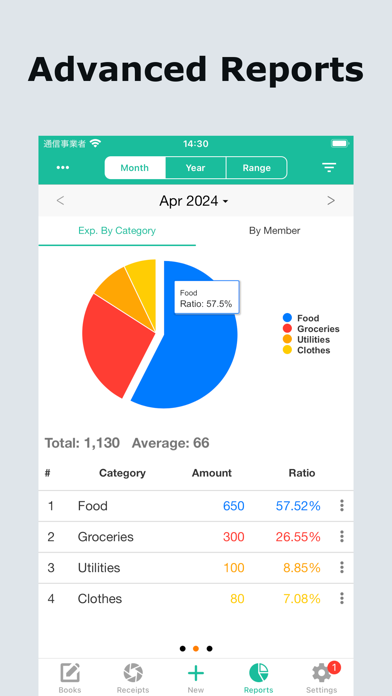
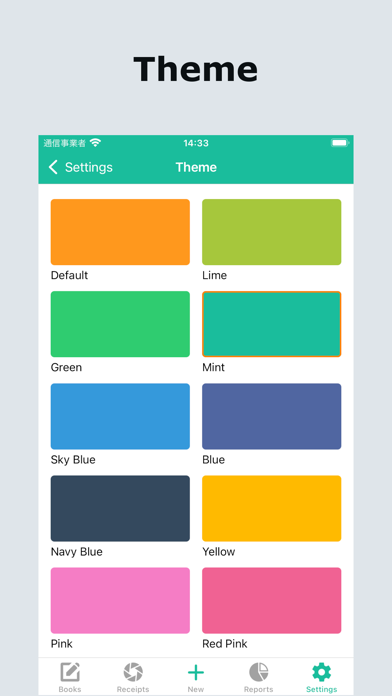
Easy Budget & Expense Tracker helps you record daily income and expenses quickly, check your budget, save receipt photos, and understand your spending with clear charts. It is designed for people who want a simple budget book without complicated account management. Record what you spent, what you earned, and where your money went — then review your monthly balance, categories, receipts, and trends whenever you need. ◆ Recommended for ・People who want to keep a simple budget book ・People who want to record expenses and income quickly ・People who want to check monthly budgets and remaining amounts ・People who want to save receipt photos with their records ・People who want to manage recurring bills, subscriptions, rent, salary, or other regular income and expenses ・People who want separate books for personal, household, or allowance tracking ・People who prefer simple daily records over complicated bank account or transfer management ◆ Main features 【Quick income and expense tracking】 Record the date, amount, category, person, tags, photos, and notes. Frequently used records can be reused as favorites or templates, making daily entry faster and easier. 【Calendar and list views】 Review your records in calendar view or list view. You can check recent records, search, filter, and sort transactions to find what you need. 【Receipt photo storage】 Attach receipt or invoice photos to your records. You can review receipt photos by month and manage them together with your spending history. 【Budget management】 Set monthly, yearly, and category budgets. Check your budget progress and remaining amount to notice overspending before it becomes a problem. 【Clear charts and analysis】 Analyze income and expenses by month, year, or custom period. Use charts to see spending categories, income categories, and overall balance at a glance. 【Recurring income and expenses】 Manage regular records such as rent, subscriptions, utility bills, phone bills, salary, and other repeated income or expenses. This helps reduce forgotten entries and keeps your monthly budget more accurate. 【Categories, tags, and people】 Organize records with expense categories, income categories, category groups, tags, and people. This makes it easier to review spending by purpose, family member, project, or lifestyle. 【Separate books for different needs】 Create separate local books for personal spending, household expenses, allowance tracking, or other purposes. Keep each budget book clean and focused. 【CSV export and backups】 Export records for a selected period as CSV. Back up and restore your data with iCloud or Google Drive, so your budget records can be kept safely. 【Widgets and Shortcuts】 Use widgets and shortcuts to record income and expenses quickly. You can also check spending summaries, monthly budget progress, and monthly income/expense totals. 【Personal settings】 Customize themes, fonts, dark mode, language, reminder notifications, and app lock. Make your budget book easier to read, easier to use, and easier to continue every day. Start with small daily records and make your money flow easier to understand.
Latest release
What’s New
* Added Google Drive backup function * Added "Remove Ads" in-app purchase option * Minor bug fixes and improvements
Audience growth
Ratings growth
Baseline captured. Growth appears after the crawler observes a changed rating count.
Momentum comes from crawler snapshots for the tracked storefront. “Viral growth signal” means unusually fast recent rating gains; it is an indicator, not download data.
Price tracking
Price intelligence
First snapshot captured. The trend line starts after the next crawler price observation.
- First observed Aug 20, 2026 · 10:41 PM Free
Screenshots