About this app
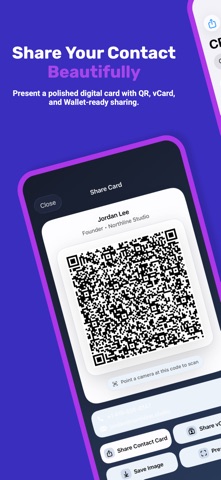
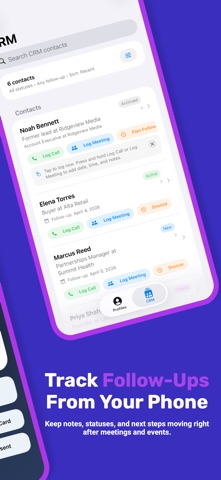
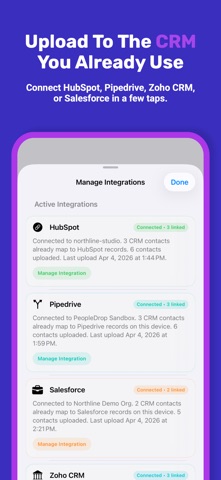
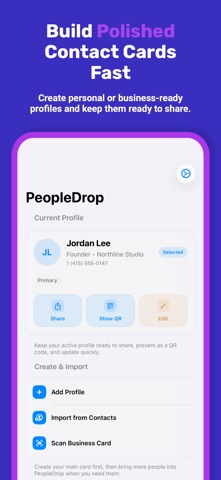
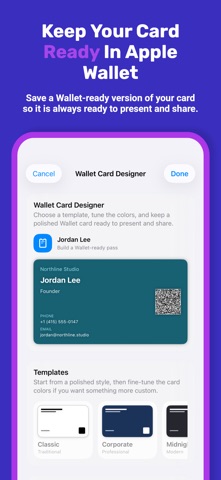
PeopleDrop helps you share your contact info beautifully, then keep up with the people you meet. Create personal, professional, or event-ready profiles. Choose what to share each time. Then present a polished digital contact card with QR, vCard, Messages, and more. Share your contact your way: • QR code that anyone can scan • iOS share sheet for Messages, Mail, and more • Messages extension for fast sharing in conversations • vCard export that works across major contact apps Bring new contacts in fast: • Import from Contacts • Edit before saving • Back up and restore your profiles anytime • Optional iCloud sync for your PeopleDrop profiles Make it feel like yours: • Multiple profiles for work, personal life, business, or events • Choose exactly which fields to include when you share • Customizable QR and card presentation • Keep a polished card ready to present at any time Unlock PeopleDrop Pro with a one-time purchase: • Apple Wallet card designer • Business card scanning • Widgets, themes, and deeper customization • Notes, tags, and contact status tracking • Due Today and Overdue follow-up views • Quick actions for logging calls, meetings, and next steps • A clean mobile workspace that stays useful after the event or introduction • Direct uploads to HubSpot, Pipedrive, Zoho CRM, and Salesforce PeopleDrop stays simple: • No PeopleDrop account required • No subscription required • No tracking across apps or websites • No selling your data • Your data stays on your device unless you choose to share it, add a Wallet pass, or connect a CRM Start free with polished contact sharing, then unlock Pro with a one-time purchase when you want Apple Wallet, business card scanning, widgets, CRM tools, and advanced follow-up workflow features.
Latest release
What’s New
PeopleDrop 2.0 brings contact sharing and follow-up into one cleaner workflow. • New CRM workspace for notes, tags, statuses, and follow-ups • Direct uploads to HubSpot, Pipedrive, Zoho CRM, and Salesforce • Quick actions for logging calls, meetings, and next steps • Due Today, Overdue, and Uploads Needed views to keep follow-ups clear • Cleaner integrations management and clearer connection status • Refreshed design across Profiles, CRM, Settings, sharing, and onboarding
Audience growth
Ratings growth
Baseline captured. Growth appears after the crawler observes a changed rating count.
Momentum comes from crawler snapshots for the tracked storefront. “Viral growth signal” means unusually fast recent rating gains; it is an indicator, not download data.
Price tracking
Price intelligence
First snapshot captured. The trend line starts after the next crawler price observation.
- First observed Aug 23, 2026 · 1:06 PM Free
Screenshots