About this app
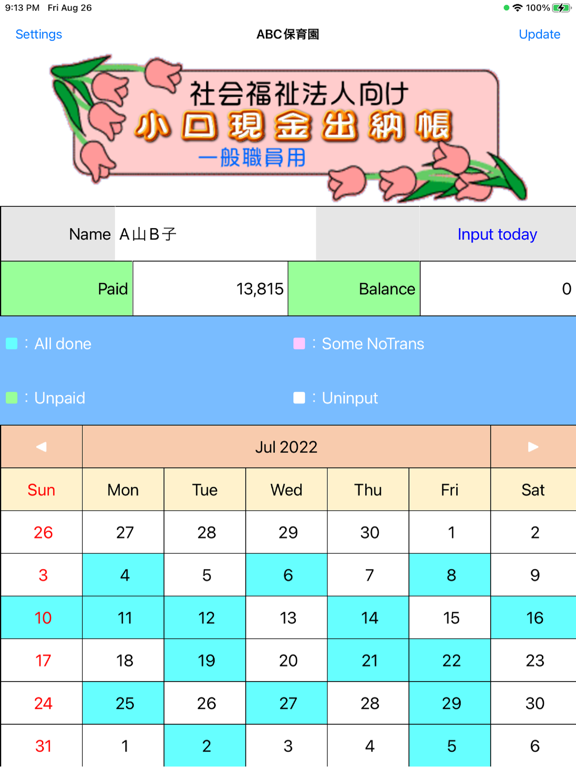
Provides functions for managing petty cash for social welfare corporations. This application is an application (Petty-S) used by general staff when shopping with petty cash. Besides this, An app (Petty-A) used by accounting staff for accounting EXCEL tool for printing a petty cash account book (Petty-P.xlsm) to configure the system. The usage and features of each application according to the business are explained below. 1. Temporary payment -Accounting staff enters the amount of provisional payment to the other staff in Petty-A. - This will be displayed on Petty-S as a remaining balance. 2. Enter shopping information - After shopping, enter the supplier, description, and amount. (cannot be omitted) - Memorize the input data for supplier and descriptions, and then make them selectable. - After inputting, calculate and display the balance. - You can edit and delete the entered data. - When editing data that has been settled, account title set, or "closed", red and black invoice processing is performed. - You can take photos and attach them to the input data. 3. Balance settlement - After completing the desired shopping, refund the voucher and the balance. - Accounting staff processes the settlement at Petty-A. - With this, the balance will be 0 even on Petty-S. 4. Account title settings - Set account title for the data entered on Petty-S. - Account title setting is done by presenting the account title and touching the corresponding rows. - Memorize the pattern of supplier - description - account title, and display candidates for the same unset data. - For data with account title candidates, you can set all account title by one touch. - If necessary, you can also set the consumption tax category. - The account title displayed are those specified in the regulations of the Ministry of Health, Labor and Welfare, but others can be added. 5. Print petty cash book - Just by opening Petty-P.xlsm of EXCEL, the data will be read and ready for printing.
Latest release
What’s New
Improved date-related image recognition (AI-OCR).
Audience growth
Ratings growth
Baseline captured. Growth appears after the crawler observes a changed rating count.
Momentum comes from crawler snapshots for the tracked storefront. “Viral growth signal” means unusually fast recent rating gains; it is an indicator, not download data.
Price tracking
Price intelligence
First snapshot captured. The trend line starts after the next crawler price observation.
- First observed Sep 8, 2026 · 1:08 AM Free
Screenshots