About this app
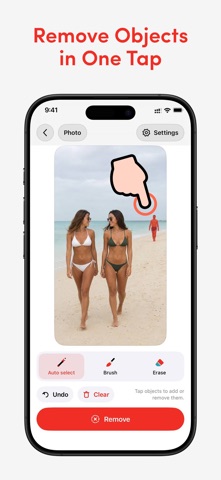
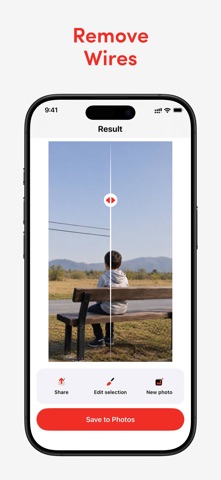
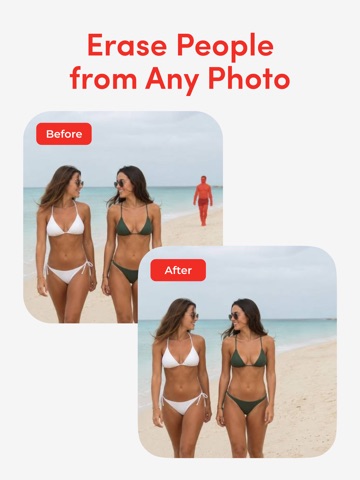
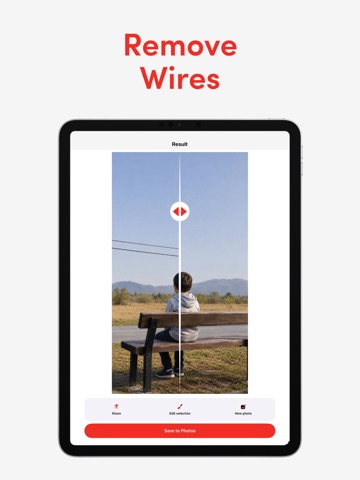
Remove unwanted objects from your photos in one tap. Tap any person or object and Photo Cleanup automatically selects it for you. No manual outlining. No time-consuming masking. Just tap, refine if needed, and remove. Get clean, natural-looking results in seconds. Perfect for: • Remove people from travel photos • Erase tourists and photobombers • Automatically select and remove unwanted objects • Erase wires, cables and power lines • Remove signs, text, watermarks and logos • Clean up distracting background objects • Remove cars, trash cans and street distractions • Fix acne, blemishes and small skin imperfections • Clean up product and real estate photos • Improve photos for social media How it works: • Tap the object • Automatic selection finds it • Refine with the brush if needed • Erase and save Features: • One-tap automatic object selection • Brush refinement • Object Remover • Magic Eraser • Photo Cleanup • Photo Eraser Whether you need to remove a person, erase an unwanted object, clean up wires and signs or fix a small detail, Photo Cleanup helps you get the result without manually tracing the entire object. Privacy Policy - https://photo-cleanup.lovable.app/privacy Terms of Use - https://photo-cleanup.lovable.app/terms
Latest release
What’s New
Multi-Tap Auto Select — select and remove multiple objects faster.
Audience growth
Ratings growth
Baseline captured. Growth appears after the crawler observes a changed rating count.
Momentum comes from crawler snapshots for the tracked storefront. “Viral growth signal” means unusually fast recent rating gains; it is an indicator, not download data.
Price tracking
Price intelligence
First snapshot captured. The trend line starts after the next crawler price observation.
- First observed Sep 1, 2026 · 9:37 AM Free
Screenshots