About this app
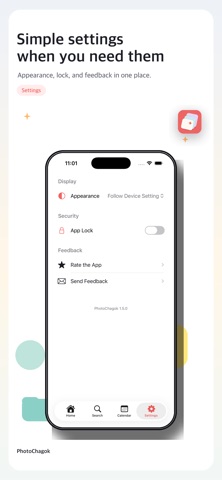
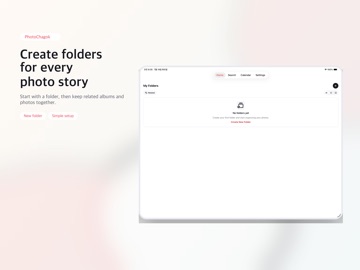
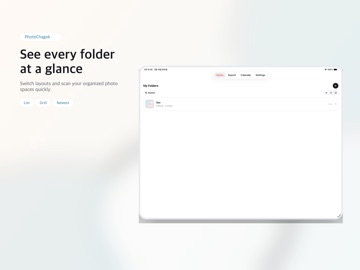
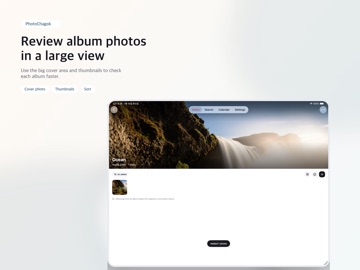
PhotoChagok is a photo organizer that sorts your iPhone photos into folders and albums. Your original library stays untouched — just pick the photos you want and add them to an album. Create folders to group albums by theme, browse your photos by date, and quickly find and tidy up exactly what you need. Key features - Organize photos into folders and albums - Pick just the photos you want from Recents and add them to an album - Browse photos by date and add them to albums - AI album suggestions (analyzed entirely on your device — your photos never leave it) - Search folders and albums by name - View each album's photos in a grid - Switch sort orders and viewing styles - Tag photos and search by tag - Light and dark appearance - File photos straight from the Photos share sheet by choosing an album - Keep videos in albums and play them in the app (full-screen landscape, fill the screen) - View album photos at five sizes, adjusted by pinching - See every photo you marked as a favorite in one place - App lock (passcode or Face ID) PhotoChagok never moves your photos around on its own. It only does the organizing you choose, and removing a photo from an album always leaves the original untouched in your Apple Photos library. It's a great fit for anyone who wants to organize their photos in one go, split everyday moments by theme, or gather photos by date into albums. [Terms of Use] https://www.apple.com/legal/internet-services/itunes/dev/stdeula/ [Privacy Policy] https://sites.google.com/view/photo-chagok-privacy-en
Latest release
What’s New
Album photo sizes now run from one per row to six, and pinching resizes the grid smoothly. - Five photo sizes — Single, Large, Default, Dense, Extra dense - Pinch to resize — cross several sizes in one gesture, reverse to go back - Landscape playback when you turn your iPhone during full-screen video - Double-tap during playback to fill the screen - Fixed PhotoChagok not appearing in the Photos share sheet on some iPhones
Audience growth
Ratings growth
Baseline captured. Growth appears after the crawler observes a changed rating count.
Momentum comes from crawler snapshots for the tracked storefront. “Viral growth signal” means unusually fast recent rating gains; it is an indicator, not download data.
Price tracking
Price intelligence
First snapshot captured. The trend line starts after the next crawler price observation.
- First observed Aug 20, 2026 · 10:56 PM Free
Screenshots