About this app
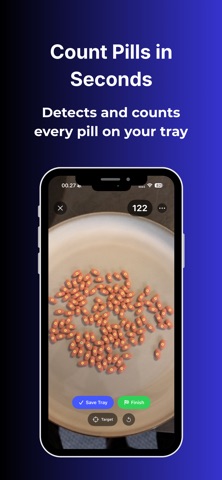
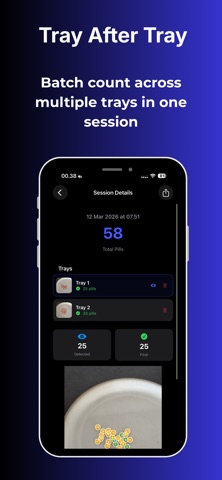
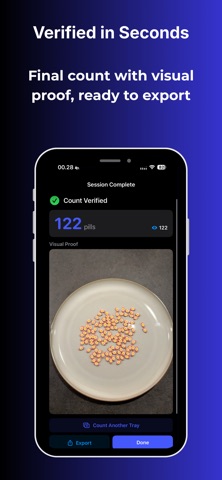
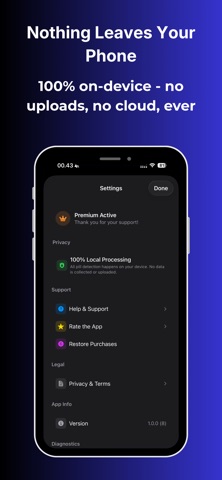
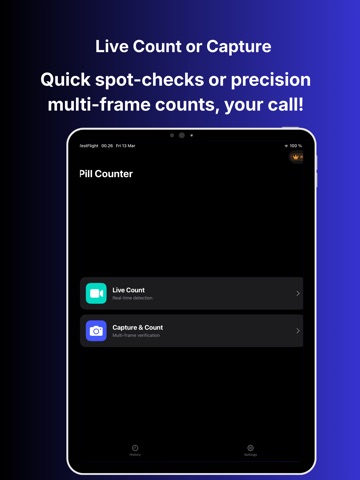
Count pills in seconds — not minutes. Pill Counter uses on-device AI to detect and count pills instantly using your iPhone camera. Just point your camera at a tray, capture, and verify the result. Designed for pharmacy technicians, caregivers, and anyone who counts pills regularly. — HOW IT WORKS — 1. Place pills on a clean tray or flat surface 2. Hold your phone overhead and capture 3. AI detects each pill and displays a visual overlay 4. Review the result, adjust if needed, and confirm Fast, simple, and built for real counting workflows. — TWO COUNTING MODES — LIVE COUNT See pills detected in real time as you move the camera. Ideal for quick spot checks. CAPTURE & COUNT Multi-frame capture with intelligent merging for maximum accuracy. Perfect for verified tray counts. — KEY FEATURES — AI-Powered Detection A custom-trained AI model detects pills of different shapes, sizes, and colors. Visual Verification Every detected pill is highlighted so you can quickly confirm the count. Tap-to-Edit Corrections Add missed pills or remove false detections with a single tap. Uncertain Pill Flagging Pills near the confidence threshold are highlighted so you know exactly where to double-check. Session History Every count is saved with the reference image, detection overlay, and final count. Batch Tray Counting Count multiple trays in one session with a running total across trays. Export & Share Export count summaries for documentation or sharing. 100% On-Device Processing All detection runs locally on your iPhone using Apple’s Core ML. No images or counting data are uploaded. — PRIVACY FIRST — Pill Counter processes everything on your device. We do not collect images, detection data, or counting results. Your camera feed is never transmitted anywhere. — FREE vs PREMIUM — Free • Up to 50 pills per tray • 1 tray per session • 3 saved sessions Premium • Up to 500 pills per tray • Unlimited trays per session • Batch counting with running totals • Export count summaries • Full session history — SUBSCRIPTION — • Weekly Premium: 3-day free trial, then $4.99/week • Annual Premium: $49.99/year (best value — save over 80%) Payment is charged to your Apple ID account. Subscriptions renew automatically unless canceled at least 24 hours before renewal. Manage subscriptions anytime in Settings → Apple ID → Subscriptions. — IMPORTANT — Pill Counter is a counting assistance tool. It is not a medical device and should not replace professional judgment. Always visually verify counts. Privacy Policy https://www.appharbour.com/pillcounter/privacy.html Terms of Service https://www.appharbour.com/pillcounter/terms.html
Latest release
What’s New
Bug fixes and performance improvements.
Audience growth
Ratings growth
Baseline captured. Growth appears after the crawler observes a changed rating count.
Momentum comes from crawler snapshots for the tracked storefront. “Viral growth signal” means unusually fast recent rating gains; it is an indicator, not download data.
Price tracking
Price intelligence
First snapshot captured. The trend line starts after the next crawler price observation.
- First observed Aug 21, 2026 · 2:48 AM Free
Screenshots