About this app
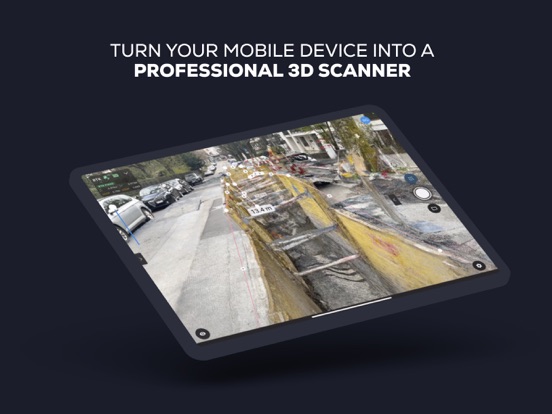
Digitize Reality: Transform your mobile device into a powerful 3D scanner. Simply point and record to create professional-grade 3D models. Pair with a compatible RTK device for centimeter-level accuracy, precise measurements, and geolocated 3D reconstructions. Visualize the captured model in the app, upload and export, and view it in AR. New ArcGIS Workflow: PIX4Dcatch now streams ArcGIS data in realtime in AR to provide in-field operators full contextual information about the entire site including 3D reconstructions and attributes. Our capture feature generates complete and defensible georeferenced 3D reconstructions which can be communicated seamlessly back to ArcGIS. New Guide-To Feature: PIX4Dcatch has a guide-to feature directing users to specified geolocated assets for staking, boosting onsite efficiency and accuracy. Just select the point or reconstruction you would like to find and follow the arrows in AR. WORKFLOW 1 – Scan & Capture Walk around your site. The app automatically gathers data and provides live feedback using iOS LiDAR, ensuring you capture every detail. For enhanced accuracy, use an RTK device compatible with PIX4Dcatch, PIX4D Autotags with a fully automated workflow, or combine both. 2 – Process, Analyze & Share Process your data by uploading to PIX4Dcloud for online analysis and sharing, or export to PIX4Dmatic for desktop processing. Both platforms offer a 14-day free trial. Projects can also be exported to third-party photogrammetry software. Measure spaces, document results, and enjoy all the benefits of a detailed 2D/3D model of your surroundings. 3 – View in AR Experience an immersive augmented-reality view. Display 3D models and points directly in your phone camera in AR. ____________________ USE CASES • Digitize construction sites • Measure stockpiles and other objects • Document underground utilities • Digitize indoor and outdoor spaces with Autotags • Visualize and verify 3D models in AR in real time • Perform single-point measurements with RTK accuracy ____________________ COMPATIBILITY • Optimized for LiDAR-equipped devices (Pro series phones) • All ARKit-enabled devices • RTK devices: Emlid Reach RX and RX2, TopCon HiPer CR, Bad Elf Flex Mini, Bad Elf Flex, Trimble DA2, Leica Zeno FLX100
Latest release
What’s New
What’s new: • View ArcGIS Online content in AR, including geolocated 3D meshes and attributes. • Login to ArcGIS and browse your content via the Project Page. • View any content from your organization in AR via the Project Page. • Interactive AR: measure distances directly in AR. • Guide-to assets in the AR scene with realtime arrow, map, and distance updates for effortless navigation. • Seamless NTRIP connection for customers using Emlid corrections service. Improvements & Bug fixes: • AR refactor has significantly improved stability and accuracy of projects displayed in AR. • Improved RTK reconnection workflow, eliminating disconnect errors. • Improved offline handling during uploads. • Fixed unexpected log out error. • Fixed background upload bug where projects remained indefinitely paused in some cases.
Audience growth
Ratings growth
Baseline captured. Growth appears after the crawler observes a changed rating count.
Momentum comes from crawler snapshots for the tracked storefront. “Viral growth signal” means unusually fast recent rating gains; it is an indicator, not download data.
Price tracking
Price intelligence
First snapshot captured. The trend line starts after the next crawler price observation.
- First observed Sep 16, 2026 · 1:47 PM Free
Screenshots