About this app
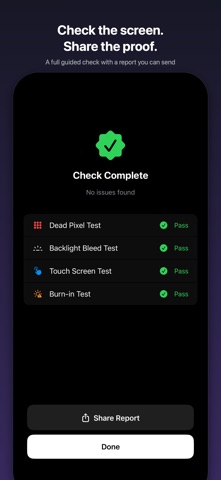
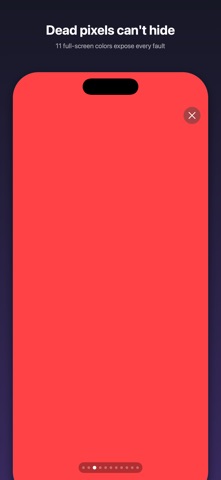
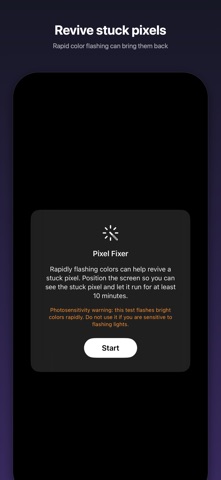
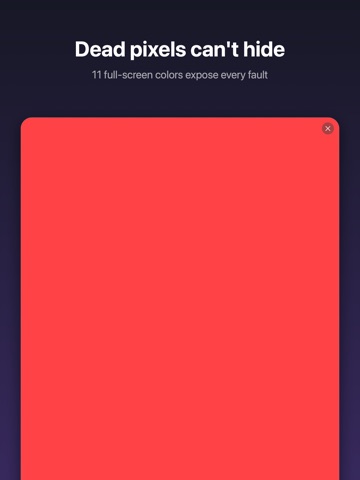
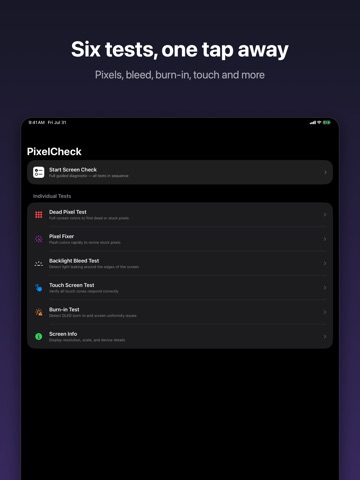
Buying a used iPhone? Just had your screen repaired? PixelCheck gives you a full guided screen check and six focused tests to verify your display is perfect — with a report you can share. GUIDED SCREEN CHECK Run every test in sequence with clear instructions, give each a pass or fail, and finish with a summary. Share the result as a report — proof of your screen's condition when buying or selling. DEAD PIXEL TEST Cycle through 11 full-screen colors — white, black, red, green, blue, yellow, cyan, magenta, and three gray levels. Dead pixels and stuck pixels stand out immediately against solid colors. PIXEL FIXER Found a stuck pixel? Rapid color flashing can help revive it. Position the screen and let it run. BACKLIGHT BLEED TEST A pure black screen reveals light leaking around the edges of LCD displays. TOUCH SCREEN TEST Draw across a grid overlay to verify every zone of your touch screen responds — with true multi-finger support. Track your coverage in real time. OLED BURN-IN TEST A slow-moving gray block and uniform gray screen reveal ghost images, uneven brightness, and burn-in damage on OLED displays. Adjust the gray level to catch subtle issues. SCREEN INFO View your device model, screen resolution, pixel density, display type, refresh rate, and current brightness — all in one place. WHY PIXELCHECK? - No ads, no tracking, no internet required - Works completely offline - Tiny app size, instant launch - Supports iPhone and iPad - Screen stays awake and at full brightness during tests PERFECT FOR - Buying or selling a used iPhone or iPad - Checking a screen after repair - Verifying OLED burn-in on older devices - Testing touch response across the full screen Simple, fast, private. Open the app, run the check, share the proof.
Latest release
What’s New
• Guided Screen Check: run every test in sequence and get a clear pass/fail summary • Share Report: send proof of your screen's condition — perfect when buying or selling a used device • New Pixel Fixer: rapid color flashing helps revive stuck pixels • New Backlight Bleed test for LCD screens • Touch test now registers multiple fingers at once • Dead pixel test now has 11 colors, including three gray levels • The screen stays awake and at full brightness during tests • Haptic feedback throughout the app
Audience growth
Ratings growth
Baseline captured. Growth appears after the crawler observes a changed rating count.
Momentum comes from crawler snapshots for the tracked storefront. “Viral growth signal” means unusually fast recent rating gains; it is an indicator, not download data.
Price tracking
Price intelligence
First snapshot captured. The trend line starts after the next crawler price observation.
- First observed Aug 24, 2026 · 8:53 AM $0.99
Screenshots