About this app
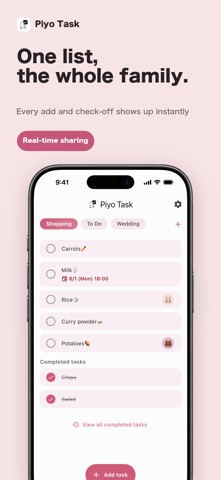
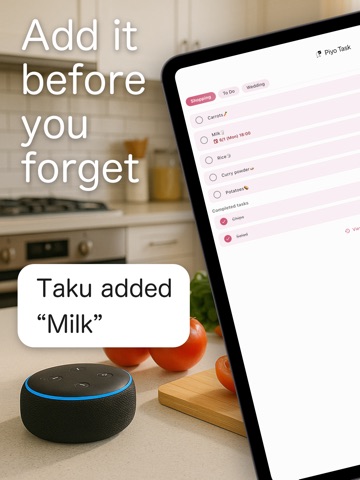
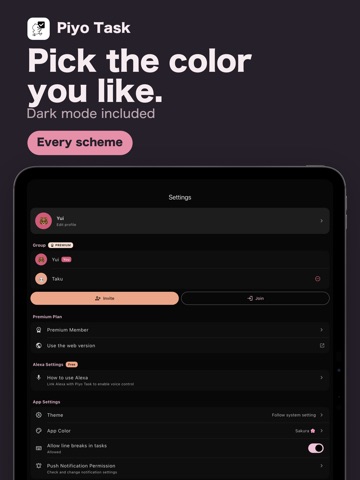
Piyo Task — the shared to-do list for families and couples. One list, everyone in sync. Add "milk" on your way out and your partner sees it before they reach the store. ----------------------------- Share in real time ----------------------------- Create a group and invite your family with a single code. Every task you add, edit or check off appears on everyone's phone right away. No more "I thought you were buying that". ----------------------------- Not just groceries ----------------------------- Two lists are ready to go — Shopping and To Do — and you can add as many of your own as you like: - Trip packing - Wedding prep - Moving house - Pet care - Books to read, films to watch ----------------------------- Due dates and reminders ----------------------------- Give a task a date and a time and get a push notification before it is due. "Today" and "Tomorrow" are one tap away, so most tasks take a couple of seconds to file. ----------------------------- Who is doing what ----------------------------- Assign a task to someone so everyone knows who is on it. Each member shows up as their own emoji, and completion is tracked per person for tasks you share. ----------------------------- Built for everyday use ----------------------------- - Drag and drop to reorder - A satisfying completion animation with haptic feedback - Attach a photo to a task - Undo a deletion within five seconds - Choose your favourite theme colour, with full dark mode support - Also available in your browser (Japanese only) ----------------------------- Set up in a minute ----------------------------- 1. Download (free) 2. Pick a nickname and an emoji 3. Create a group, or join one with an invite code Free to use, and built on Firebase so your list stays in sync across every device in the group. Note: voice input with Amazon Alexa is available in Japanese only. Note: Siri Shortcuts and the web version are available in Japanese only.
Latest release
What’s New
- Added Chinese (Simplified and Traditional) - Fixed a few text issues
Audience growth
Ratings growth
Baseline captured. Growth appears after the crawler observes a changed rating count.
Momentum comes from crawler snapshots for the tracked storefront. “Viral growth signal” means unusually fast recent rating gains; it is an indicator, not download data.
Price tracking
Price intelligence
First snapshot captured. The trend line starts after the next crawler price observation.
- First observed Aug 23, 2026 · 8:38 AM Free
Screenshots