About this app
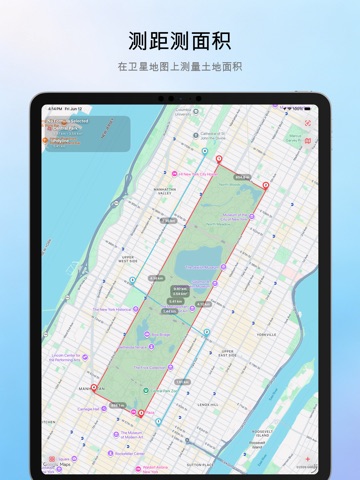
How many acres is your property? What is the straight-line distance between Los Angeles and Las Vegas? How large is Central Park? How much roof space is available for a solar installation? Map Measure makes it easy to measure distance, perimeter, and area directly on maps or images. Whether you’re managing farmland, planning a construction project, estimating solar panel coverage, or exploring the outdoors, Map Measure gives you accurate measurements in just a few taps. MAP MEASUREMENT Measure directly on interactive maps with professional-grade tools. • Supports Apple Maps • Measure distance, perimeter, and area • Draw paths, polygons, circles, rectangles, and radial lines • Search locations instantly • GPS positioning and coordinate lookup • Multiple map styles and satellite imagery • Metric, Imperial, and custom units • Built-in formulas for cost estimation and calculations • Import, export, and share measurement projects IMAGE MEASUREMENT Measure directly from aerial photos, blueprints, diagrams, or any image. • Import images from your device • Calibrate using a known reference distance • Automatically calculate accurate measurements • Measure distance, perimeter, and area • Draw polygons, circles, rectangles, and custom shapes • Custom formulas for estimating materials, costs, and quantities • Export and share results PROFESSIONAL FEATURES • Measure multiple shapes within a single project • Quick tap placement or precision crosshair editing • Visual project management and history • Import and export project files • Share measurements as images or files PERFECT FOR • Landowners and ranch managers • Farmers and agricultural professionals • Construction and engineering projects • Solar panel planning and site assessment • Property and real estate evaluation • Landscaping and outdoor design • Hiking, cycling, and route planning • Surveying and mapping enthusiasts SUPPORTED UNITS • Feet, Miles, Yards • Acres, Square Feet • Meters, Kilometers • Hectares If Map Measure helps you with your work or outdoor adventures, please consider leaving a review. Your feedback helps us improve the app for everyone.
Latest release
What’s New
- Added long‑press drag‑and‑drop for map pins, allowing fine‑tuning after editing. - Added fixed‑unit mode, enabling seamless switching between dynamic unit adjustment and fixed‑unit mode.
Audience growth
Ratings growth
Baseline captured. Growth appears after the crawler observes a changed rating count.
Momentum comes from crawler snapshots for the tracked storefront. “Viral growth signal” means unusually fast recent rating gains; it is an indicator, not download data.
Price tracking
Price intelligence
First snapshot captured. The trend line starts after the next crawler price observation.
- First observed Aug 19, 2026 · 11:31 AM Free
Screenshots