About this app
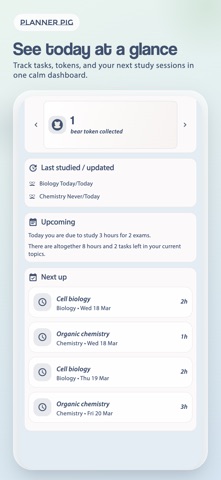
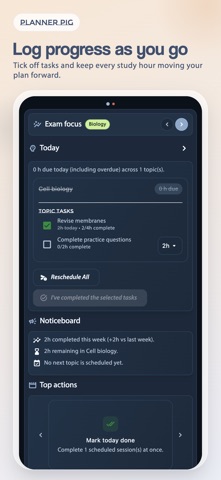
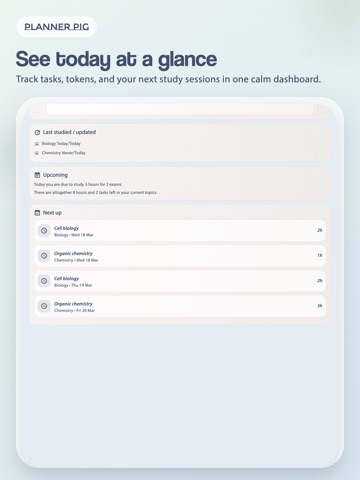
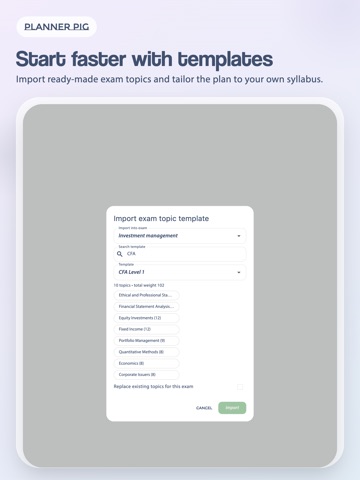
How would a study planner help you study more effectively? Imagine knowing exactly what your to-do's are each day, for example "Go through p.100-150 of Chapter 2". Your upcoming study session will feel a lot less daunting and once completed, you won't get that nagging feeling of "Have I done enough?". You can take the rest of the day off guilt free! Ultimately it's there to help you get through your studies ONE DAY AT A TIME and reassure you that you are studying at a good pace. Not so good at sticking to plan? Not to worry. You will have the flexibility to quickly adjust the plan should you do more or less than planned. You also have the flexibility to decide which topic to study next depending on what takes your fancy. Take a look at the list of features below to see what else it can do for you. Features in detail: • Add exams, each with its own weekly timetable so you can study them in parallel. • Each exam can have its own list of topics; you can enter them from the app or on a desktop (webpage), download from the app one of the standard topics list available for some of the popular exams (CFA, UK Actuarial, ACCA, GMAT, MCAT, CPA, USMLE, IMC, MRCPUK, RCGP, RCS) or buddy up with a friend and share your topics list • Use the task list maker to further break down the topics into practical tasks for your to-do list • Done more than planned? Tick off as much as you've done and you can choose to bring forward the study plan or have some time off as a reward • Done less than planned? Reschedule them to future dates or leave them in your to-do list and give yourself a chance to catch up • Reorder topics and exams in the schedule at any time • Going on holiday or planning some heavy study sessions? Enter them into the calendar • Keep a history of the number of hours you've studied and what tasks you’ve completed • Earn surprise rewards for sticking to your study plan • Buddy up with friends and keep up to date with their progress too
Latest release
What’s New
This release improves planning stability, daily task handling, and progress tracking so you can keep moving through your studies with confidence.
Audience growth
Ratings growth
Baseline captured. Growth appears after the crawler observes a changed rating count.
Momentum comes from crawler snapshots for the tracked storefront. “Viral growth signal” means unusually fast recent rating gains; it is an indicator, not download data.
Price tracking
Price intelligence
First snapshot captured. The trend line starts after the next crawler price observation.
- First observed Sep 4, 2026 · 2:48 AM Free
Screenshots