About this app
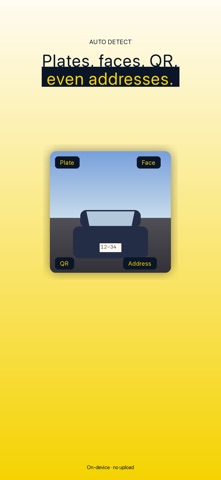
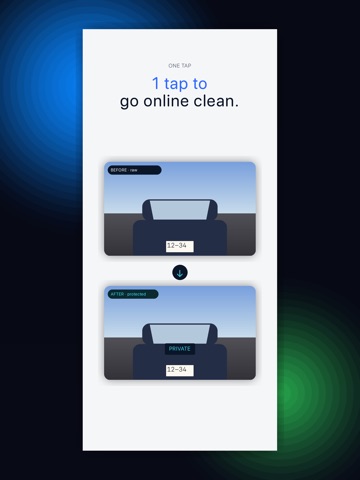
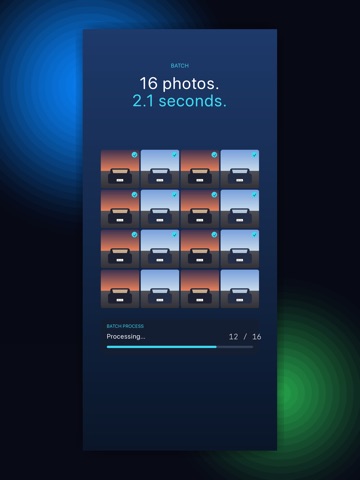
Hide license plates, faces, QR codes and addresses in one tap — before you post. PlateGuard auto-detects license plates, faces, QR/barcodes and sensitive text (phone numbers, addresses, tracking codes) in your photos and lets you mask them with fill, blur, mosaic, emoji stamp, or a stylish "PRIVATE" plate replacement — a free photo editor designed for the moments before you list or share. Marketplace listings (Mercari, eBay, Yahoo Auctions, Facebook Marketplace), social car shots (Instagram, X, TikTok), YouTube thumbnails, dealer inventory pages, blog reviews — the "one extra step before posting" should never be a chore again. ■ What it does • Auto-detects plates, faces, QR/barcodes, and sensitive text • 5 mask modes — fill, blur, mosaic, emoji stamp, PRIVATE plate replace • Different mask per region (e.g. blur the face, replace the plate) • Guide box appears even when auto-detect fails — just drag it • Tap-to-refine, drag corners, re-detect, delete false positives • Batch process multiple photos at once (rewarded-ad unlock) • Strips GPS and other EXIF metadata on save • Post-save audit report so nothing slips through ■ Use cases • Hide plates before listing on Mercari, eBay, Facebook Marketplace • Post car photos on Instagram or X without revealing the plate • Send shipping labels or QR-coded tickets to friends • Mask other cars and faces that crept into family photos • Bulk-process YouTube/blog material in one go • Pre-share check on rental viewing photos with visible addresses ■ Why PlateGuard • 100% on-device — your photos never leave your iPhone • GPS metadata stripped automatically on save • Free, no signup, no tracking • One app for plates AND faces AND QR AND addresses Everything runs on your iPhone. No uploads. No accounts. No tracking.
Latest release
What’s New
Version 2.2.0 — Faster, less guesswork • When auto-detect can't find a plate, the editor now centres a guide box and walks you through dragging it into place on first use. • Save button is pinned to the bottom of the screen — always one tap away, no matter how far you've scrolled the controls. • Fixed photo library permission edge cases that left some users staring at a blank picker. • Sharper internal funnel telemetry (no change to our on-device-only privacy promise).
Audience growth
Ratings growth
Baseline captured. Growth appears after the crawler observes a changed rating count.
Momentum comes from crawler snapshots for the tracked storefront. “Viral growth signal” means unusually fast recent rating gains; it is an indicator, not download data.
Price tracking
Price intelligence
First snapshot captured. The trend line starts after the next crawler price observation.
- First observed Sep 1, 2026 · 1:54 PM Free
Screenshots