About this app
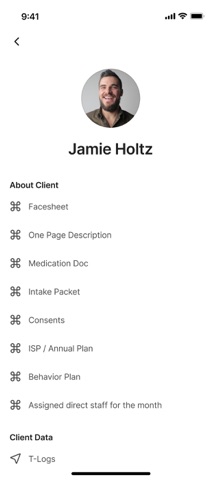
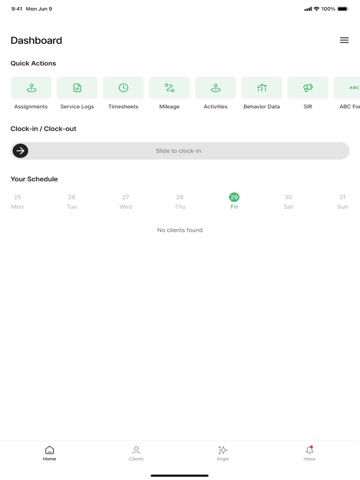
Pocket Case Manager (PocketCM) is an AI-powered operating system designed to help disability service providers and care centers streamline operations, reduce administrative overhead, and deliver more coordinated, data-driven care at scale. Built specifically for organizations that support individuals with disabilities, PocketCM transforms complex workflows into simple, intuitive digital processes—saving time, improving compliance, and empowering teams to focus more on people and less on paperwork. Whether you're managing direct support staff, documenting daily activities, or tracking client progress, PocketCM provides a comprehensive suite of tools to modernize every aspect of care operations. Our AI assistant helps you generate professional-grade case notes, incident reports, forms, and progress summaries with just a few prompts—dramatically reducing documentation time while improving consistency and quality. Key Features: • AI-Generated Case Notes & Documentation Use natural language to quickly create case notes, incident reports, and PDFs that are clear, consistent, and HIPAA-compliant. • Real-Time Attendance & EVV Compliance Track staff and client attendance with built-in GPS and time logs to stay compliant with Electronic Visit Verification (EVV) requirements. • Multilingual & Accessible Communication Support staff and families with multilingual prompts, translated AI responses, and intuitive visual tools. • Client-Centered Dashboards & Data Tracking Monitor progress toward goals, review behavioral trends, and gain actionable insights to support outcome-based care. • Payroll & Billing Automation Simplify timesheets, approvals, and billing cycles with tools built specifically for support programs and community-based services. • Mobile-First, Secure & HIPAA-Compliant Designed for staff on the go, PocketCM keeps your data encrypted, safe, and accessible only to authorized team members. • Forms, Signatures & Task Management Digitize your intake forms, consent documents, and workflows—all from a single platform. Pocket Case Manager is more than just a digital clipboard—it’s a central nervous system for your care team. Whether you're supporting one client or hundreds, PocketCM scales with your organization to ensure staff have the tools they need to deliver consistent, high-quality care every day. By dramatically cutting down on documentation and admin time, PocketCM allows caregivers and case managers to invest more energy in building relationships, responding to client needs, and delivering meaningful support.
Latest release
What’s New
What's New in 6.7.0 Support for schedule management for academic setup We've expanded scheduling to better support course-based and academic programs, along with several assignment-related fixes: New scheduling options for course-based programs, including term-based setups Added a consolidated client/staff schedule view for course-based programs Other New & Improved Save-as-you-go on multi-page forms — Forms like the SIR now have a Save button on every page, so you don't lose progress. Assignments, timesheets, and mileage logs now show start and end times right on the card in day and week view Custom PDF templates — Organizations that need a custom SIR PDF format can now have one set up. More accurate location data — Improved how addresses are stored for more reliable location matching. Fixes Fixed a glitch in the client search bar under Other Schedules. Fixed sub-programs not picking up service code settings from their parent program. Fixed renaming an e-signature workflow without needing to also change recipients or documents. Fixed program assignment changes for clients and staff not saving correctly. Several onboarding fixes: service codes now appear correctly after being added, caseload lists scroll properly, active/deactivated filters work correctly, and staff search is easier to use. Polished cursor and pointer behavior across the Admin app.
Audience growth
Ratings growth
Baseline captured. Growth appears after the crawler observes a changed rating count.
Momentum comes from crawler snapshots for the tracked storefront. “Viral growth signal” means unusually fast recent rating gains; it is an indicator, not download data.
Price tracking
Price intelligence
First snapshot captured. The trend line starts after the next crawler price observation.
- First observed Aug 19, 2026 · 7:20 PM Free
Screenshots