About this app
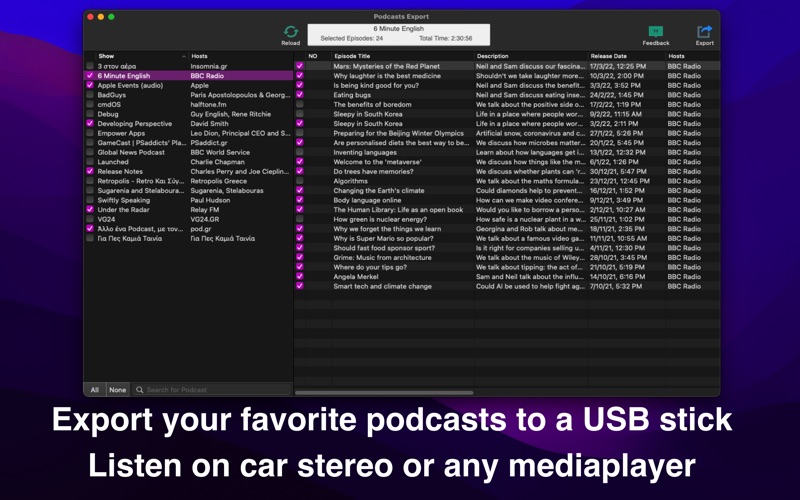
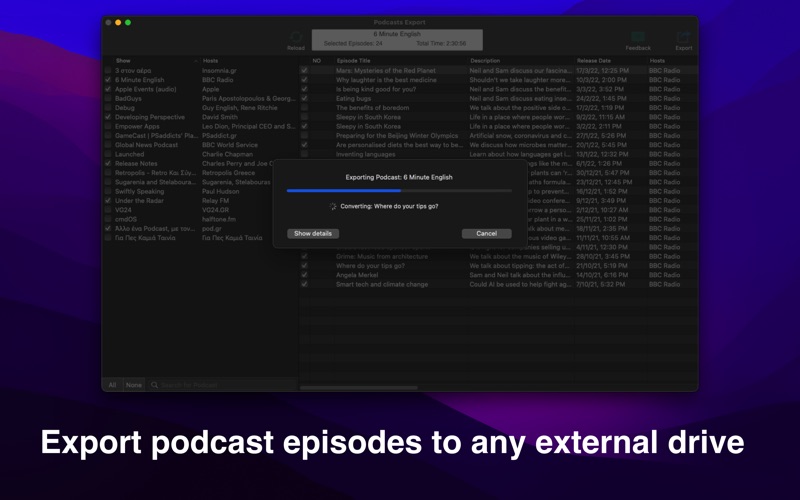
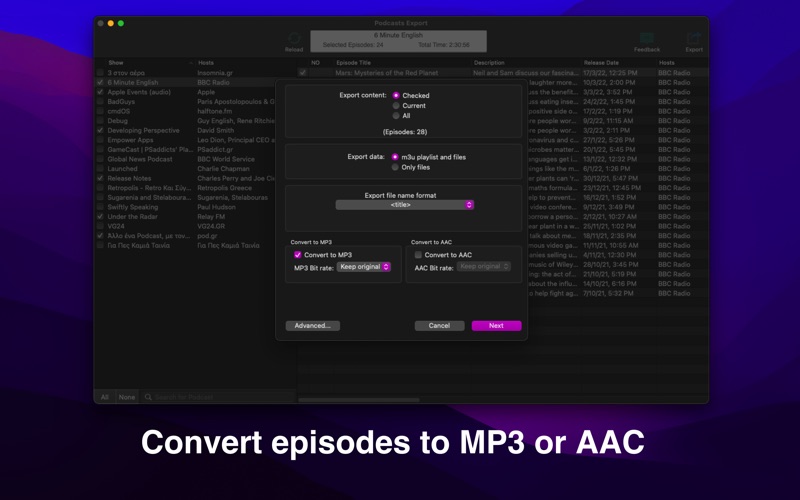
Podcasts Export takes the episodes you have downloaded in Apple Podcasts and saves them as ordinary audio files you can use anywhere — a USB stick for the car, an old MP3 player, a phone that is not an iPhone, or simply a folder you keep. HOW IT WORKS 1. Pick the shows and episodes you want. 2. Choose whether to keep the original files or convert them. 3. Choose a destination, and the export runs. KEEP ONLY WHAT IS NEW Podcasts Export remembers what it has already exported for each show. Shows with episodes released since your last export are flagged with a count, and those episodes are marked in the list, so you can see what is new without hunting for it. Turn on "only episodes not exported before" and repeat exports pick up exactly what you are missing. FILES THE WAY YOU WANT THEM • Copy the original file, or convert to MP3 or AAC at the bitrate you choose • Name files from the episode title, show, host, and number — or build your own pattern • Organise into a folder per show, per host, or everything in one folder • Write an .m3u playlist alongside the files • Export show artwork as PNG or JPEG • Titles and tags are carried over, so files show up properly on your device BUILT FOR REPEAT USE • Search within a show to find an episode among hundreds • Select all, none, or only the episodes you have not exported yet • Skip files that are already at the destination, so re-running is quick • Optionally clear your selection after each export • A log lists anything that could not be exported, and why BEFORE YOU BUY Podcasts Export works with episodes you have already downloaded in the Podcasts app. Episodes that only stream from the cloud have no file to copy. Some episodes cannot be exported at all: those delivered as streams (HLS) and those that are copy protected. The app marks these clearly rather than failing silently. If most of your library is affected, this app will not be able to help — please check before purchasing.
Latest release
What’s New
EXPORT ONLY WHAT IS NEW Podcasts Export now remembers what it has exported for each show. • Shows with episodes released since your last export show a count, so you can see where the new episodes are at a glance • Those episodes are marked in the episode list, and exported ones are ticked with the date they were saved • Turn on "Export only episodes not exported before" under Advanced to skip everything you already have • Mark or unmark episodes yourself from the right-click menu EASIER TO GET AROUND • Search within a show to find an episode by title or description • A new menu beside the search field: check all, uncheck all, check only episodes you have not exported, or only those newer than your last export • A Settings window, including an option to clear your selection after each export • Built-in help covering every option, including the advanced ones
Audience growth
Ratings growth
Baseline captured. Growth appears after the crawler observes a changed rating count.
Momentum comes from crawler snapshots for the tracked storefront. “Viral growth signal” means unusually fast recent rating gains; it is an indicator, not download data.
Price tracking
Price intelligence
First snapshot captured. The trend line starts after the next crawler price observation.
- First observed Aug 7, 2026 · 10:58 PM $3.99
Screenshots