About this app
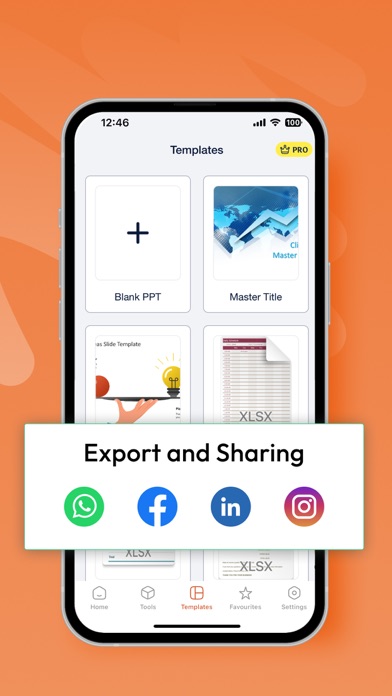
The PPT app gives you access to the familiar slideshow maker tool you already know. Create, edit, view, present, or share presentations quickly and easily from anywhere. Need to access your Power Point: PPT files quickly while on the go? PPT provides a quick view of your recent slides and presentations for easy access on any device. Key Features: Create & Edit Presentations: Craft and polish your slides with intuitive tools that allow you to add text, images, charts, and animations. Easily customize layouts, themes, and templates to match your style. Collaboration Made Easy: Work with others in real-time by sharing your presentations. Receive feedback and make edits simultaneously, ensuring everyone stays on the same page. Seamless Integration: Sync your presentations across devices with cloud storage support. Access your files from anywhere, whether you’re on your phone, tablet, or desktop. Presenter Mode: Present confidently with features like speaker notes, timers, and laser pointer controls. Use your device as a remote to manage your slides during live presentations. Advanced Tools & Features: Utilize smart features like AI-powered design suggestions, automatic slide layout adjustments, and data visualization to make your content more engaging and informative. Offline Access: Keep working on your presentations even without an internet connection. All your changes will sync automatically once you’re back online. Compatibility & Export Options: Easily open and edit files from other presentation software. Export your final product in various formats including PDF, video, and images.The PPT app gives you access to the familiar slideshow maker tool you already know. Create, edit, view, present, or share presentations quickly and easily from anywhere.Transform your presentations with our comprehensive PowerPoint app, designed to elevate your storytelling and make your ideas shine. Whether you’re a business professional, student, or educator, this app offers a powerful set of tools to create, edit, and share stunning presentations on the go. 3-DAY FREE TRIAL • Try out all paid features free for 3 days • Select a plan that best suits your needs • Cancel anytime without any obligations Yearly - Monthly plans at 499 Rs/Month & Yearly Plans at 2999 Rs/Year Subscription will be charged to your credit card through your App Store account. Your subscription will automatically renew unless canceled at least 24 hours before the end of the current period. Terms of use - https://sites.google.com/view/ppt-editor-terms-of-use/home Privacy Policy - https://sites.google.com/view/ppt-editor-privacy-policy/home
Latest release
What’s New
Bugs fixes and Improvement for ios 26
Audience growth
Ratings growth
Baseline captured. Growth appears after the crawler observes a changed rating count.
Momentum comes from crawler snapshots for the tracked storefront. “Viral growth signal” means unusually fast recent rating gains; it is an indicator, not download data.
Price tracking
Price intelligence
First snapshot captured. The trend line starts after the next crawler price observation.
- First observed Aug 14, 2026 · 12:30 AM Free
Screenshots