About this app
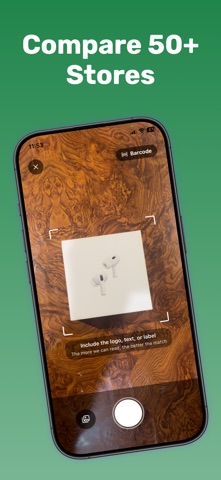
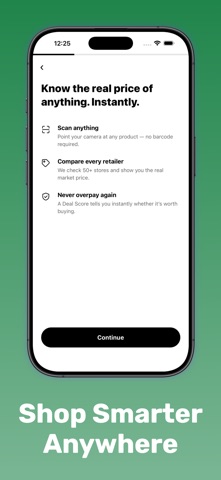
Take a photo of something you're about to buy. Price AI works out what it is, looks up what it's selling for elsewhere, and tells you whether the price in front of you is a good one. THE DEAL SCORE Every result gets a score from 0 to 100 measuring one thing: how far below fair market value the best price sits. Fair market value is the median of the comparison prices found for that specific item, with outliers removed — and the app shows you how many prices went into it, so you can judge the number for yourself. WHEN IT DOESN'T KNOW, IT SAYS SO If fewer than three comparable prices turn up, Price AI shows no score rather than inventing one. If a photo isn't clear enough to identify, it tells you that instead of guessing at a product. Deal Score and fair market value are AI-generated estimates, and the app labels them as such. CHECK IT'S THE RIGHT ITEM Identification isn't always right first time, so Price AI shows you what it found — brand, model, type, variant — and lets you confirm or correct it. Add size, colour, or pack size before searching, and results narrow to match. ASK IN PLAIN LANGUAGE Chat about a product the way you'd ask a friend who knows the market. Price AI gives you its reasoning first, then product cards with prices and Deal Scores. Every price, retailer and link comes from a real search — never from the model itself. KEEP TRACK Saved items for things you're still deciding on. A scan history with a calendar view. A running total of what you've saved, built from your own results rather than an estimate. SUBSCRIPTION Scanning and chat are free to try. Price comparison requires a subscription, with pricing shown in the app before you commit. Terms of Use (EULA): https://www.apple.com/legal/internet-services/itunes/dev/stdeula/
Latest release
What’s New
Redesigned onboarding, paywall, and results screens for a cleaner, faster experience. Improved price accuracy with smarter product matching. Added chat-based product recommendations. Fixed several bugs affecting scan reliability and account settings.
Audience growth
Ratings growth
Baseline captured. Growth appears after the crawler observes a changed rating count.
Momentum comes from crawler snapshots for the tracked storefront. “Viral growth signal” means unusually fast recent rating gains; it is an indicator, not download data.
Price tracking
Price intelligence
First snapshot captured. The trend line starts after the next crawler price observation.
- First observed Aug 19, 2026 · 3:16 PM Free
Screenshots