About this app
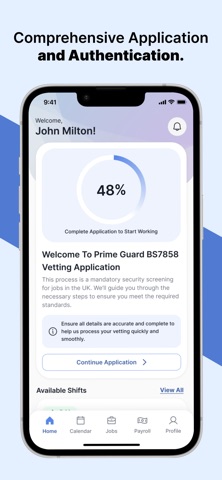
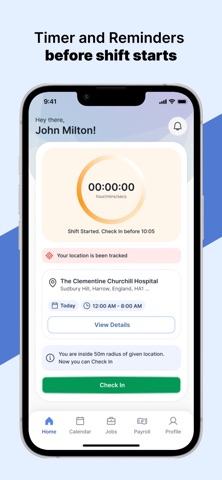
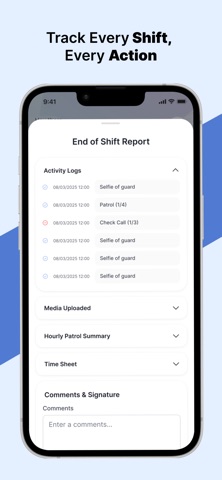
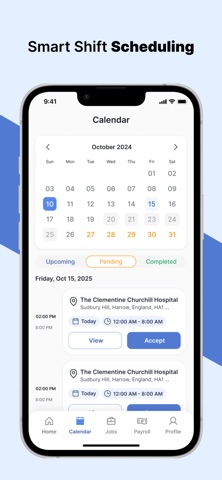
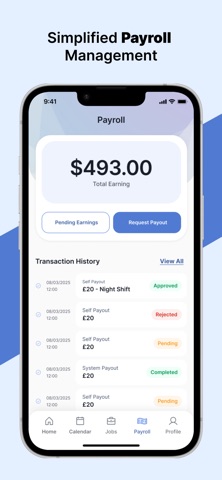
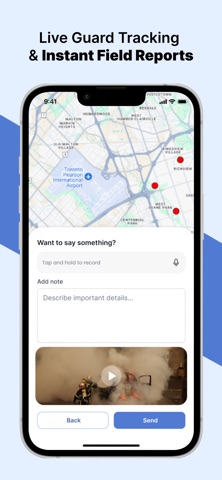
Prime Guard is the complete security workforce management platform built for guards, supervisors, and visiting supervisors. Whether you're starting your first shift or overseeing an entire team across multiple sites, Prime Guard puts everything you need right in your pocket. FOR SECURITY GUARDS Stay on top of every shift with real-time task management, automated check calls, and structured patrol workflows. Clock in and out with confidence, knowing your activity is logged accurately. When incidents happen, capture photos or videos on the spot and submit detailed reports instantly. In an emergency, a single press of the SOS button shares your exact GPS location with your team. FOR SUPERVISORS Get a live view of your team's activity across all assigned sites. Monitor guard tasks, patrol status, check call compliance, and incident reports — all from a single dashboard. Chat directly with your guards and stay informed with real-time push notifications. FOR VISITING SUPERVISORS Manage your site visits efficiently with dedicated site lists and media documentation tools. Capture and submit visit evidence directly from the app. KEY FEATURES • Shift Management — View and manage upcoming, active, and completed shifts on a built-in calendar. Browse and apply for available jobs based on your profile. • Check Calls & Patrols — Log mandatory check calls and complete patrol checkpoints during your shift. All activity is time-stamped and synced in real time. • Task Management — Receive, complete, and log shift tasks assigned by supervisors. Supervisors can monitor task completion live across their team. • Incident Reporting — Report incidents with photo and video evidence plus written notes directly from the field. Reports are submitted instantly to the operations team. • SOS Emergency Alert — Trigger a GPS-enabled SOS alert with a single tap. Your precise location and active shift context are shared immediately with your team. • In-App Messaging — Communicate with guards and supervisors through a secure, real-time chat built into the app. • Payroll & Earnings — View total earnings, pending payouts, and your full transaction history. Request payouts directly from the app. • Employment Onboarding — New employees complete the entire application and onboarding process in-app, including document uploads and address verification. • Push Notifications — Stay informed with instant alerts for shift updates, task assignments, new messages, and more. • Maps & Navigation — View job and site locations on an interactive Google Maps view with integrated directions. • Dark Mode — Full support for light and dark mode with automatic system-level preference detection. SECURE & RELIABLE Prime Guard uses industry-standard authentication with email and phone verification. All data is transmitted securely, and the app uses real-time WebSocket connections to keep your information accurate and up to date across your entire team. Prime Guard is built for security professionals who demand accuracy, accountability, and efficiency on every single shift.
Latest release
What’s New
- UI bug fixing
Audience growth
Ratings growth
Baseline captured. Growth appears after the crawler observes a changed rating count.
Momentum comes from crawler snapshots for the tracked storefront. “Viral growth signal” means unusually fast recent rating gains; it is an indicator, not download data.
Price tracking
Price intelligence
First snapshot captured. The trend line starts after the next crawler price observation.
- First observed Sep 4, 2026 · 1:58 AM Free
Screenshots