About this app
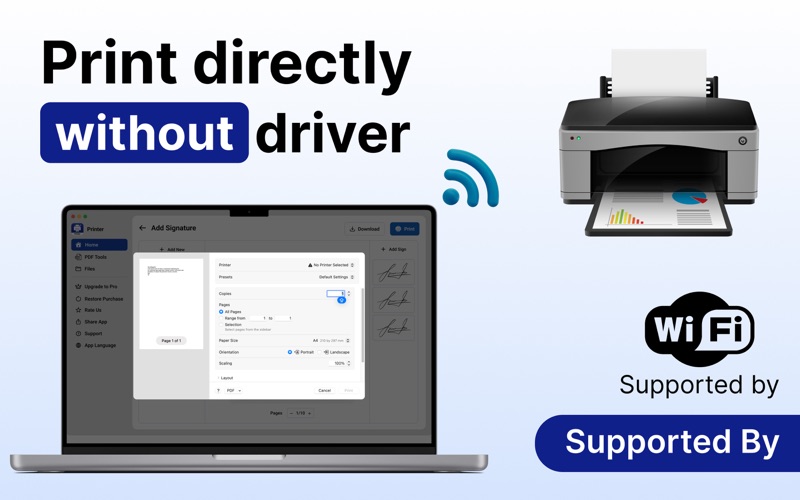
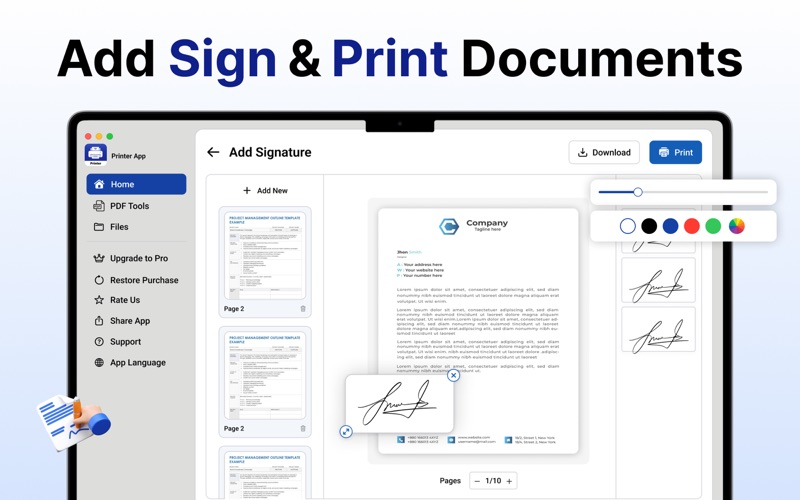
Printer App - Smart Printer App – Seamless, Smart, and Fast Printing for macOS Printer App is your all-in-one smart printing solution for Mac. Whether you’re printing documents, photos, or web pages, Printer App delivers a smooth and efficient printing experience. With a clean interface and powerful tools, manage all your print tasks easily — from creating PDFs to merging and compressing them. Key Features: - Smart Printing Tools Print documents, photos, and web pages directly from your Mac in just a few clicks. Enjoy smooth, reliable printing performance with easy access to all your print options. - iCloud Integration Access and print files stored in iCloud instantly without manual downloads. Keep your workflow seamless and connected across all Apple devices. - Photo & Passport Printing Print high-quality photos and passport-size pictures from the comfort of your home. Maintain perfect clarity and alignment every time. - Add Signature & Text Easily insert your digital signature or text into documents before printing. Ideal for contracts, letters, or customized print materials. - PDF Management Convert, merge, split, and compress PDF files effortlessly. Handle all your document needs within one smart workspace. - OCR Function Extract text from images with precision and print or edit it directly. Save time by turning scanned images into editable content. - Printables & Forms Create and print your own custom forms, templates, and printable pages. Personalize your designs for home, school, or office use. Why Choose Printer App? Printer App combines simplicity and power, offering Mac users an advanced yet user-friendly solution for all printing and PDF management needs. Whether you’re a student, professional, or designer, Printer makes printing smarter, faster, and more efficient. Additional Purchases Required Printer App follows a freemium model. Users can use the app for 3 free attempts. After that, they may activate a 3-day free trial or purchase a premium subscription. During the 3-day free trial, users can use the app without any restrictions. After the free trial ends, the subscription will be automatically charged unless canceled. Users may choose from weekly, monthly, or annual subscription plans to gain full access for the duration of their subscription: Weekly Plan: $4.99 Monthly Plan: $12.99 with 3 days free trial Yearly Plan: $24.99 Lifetime: $99.99 Payment will be charged to your iTunes account upon purchase confirmation and will automatically renew at the selected duration and price unless auto-renewal is turned off at least 24 hours before the end of the current period. You cannot cancel the current subscription during the active period. However, you can manage your subscription and turn off auto-renewal in your Apple Account Settings after purchase. Premium users benefit from faster results, an uninterrupted experience, and unlimited usage. Download Printer app for epson printer now and make your printing, PDF, and document tasks easier than ever — all from one smart app designed just for your Mac. Privacy Policy: https://sites.google.com/view/nimrajamil/privacy-policy Terms Of Use: https://sites.google.com/view/nimrajamil/terms-of-use End User License Agreement: https://sites.google.com/view/nimrajamil/end-user-license-agreement
Latest release
What’s New
Print smarter with Printer App the fast, easy, and reliable way to print documents, photos, and PDFs directly from your device. Seamless and powerful! In this version: - Faster printing performance - Bug fixes and stability improvements
Audience growth
Ratings growth
Baseline captured. Growth appears after the crawler observes a changed rating count.
Momentum comes from crawler snapshots for the tracked storefront. “Viral growth signal” means unusually fast recent rating gains; it is an indicator, not download data.
Price tracking
Price intelligence
First snapshot captured. The trend line starts after the next crawler price observation.
- First observed Aug 8, 2026 · 5:56 PM Free
Screenshots